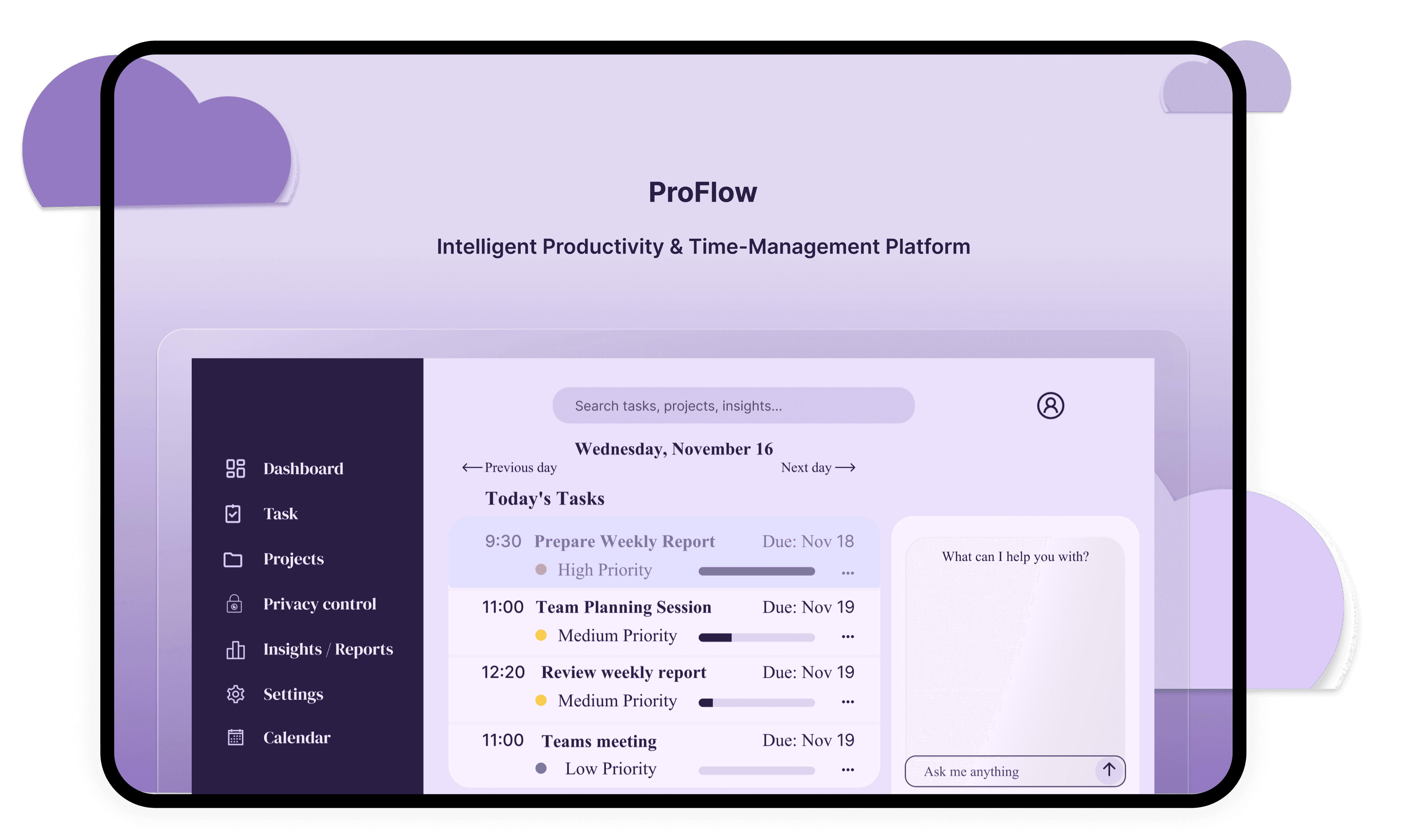

Problem

Solution
Users rely on too many disconnected
apps for tasks, calendars, and notes.
• Hard to prioritize what truly matters.
• Schedules don't match real energy levels
→ reduced productivity.
• Poor visibility of long-term goals and
project progress.
Centralized dashboard for tasks,
projects, insights, and schedules.
• Smart recommendations based on user
focus + work style.
• Visual timelines, reminders, and progress
tracking.
• Personalization without complexity →
simple, intuitive Ul.
People aren't unproductive their tools don't support how they naturally work.
Users struggle because tasks, energy levels, and schedules don't align.
This product solves that.
User Persona
"As a busy freelance designer, I want a
single place to manage and schedule
my tasks, so that I don’t waste time
switching apps and can plan work
based on my real energy levels and
deadlines."
Alexandra Kristo
Age: 28
Education: BA Graphic Design
Location: London, Uk
Family: Lives with partner
Occupation: Freelance Product Designer
“As a freelance designer, I want a smart
scheduling tool that adapts to my energy
patterns, so that I can stay productive
without burning out.”
Alexandra works with 4–6 clients at a
time. Some days she is highly focused
in the morning; other days her best
creative energy comes late afternoon.
She jumps between tools and loses
time reorganizing her schedule when
energy dips or sudden client requests
appear. She needs a tool that adapts
to her natural rhythm, not the other way
around.
Goals
Keep track of multiple client projects
in one place.
Maintain a balanced schedule that
supports creativity.
Stay consistent with deadlines.
Understand progress without
checking multiple tools.
Frustrations
Too many scattered apps
Hard to plan tasks around creative
focus rhythms.
Tasks often get rescheduled manually.
Difficulty seeing long-term workload
at a glance.
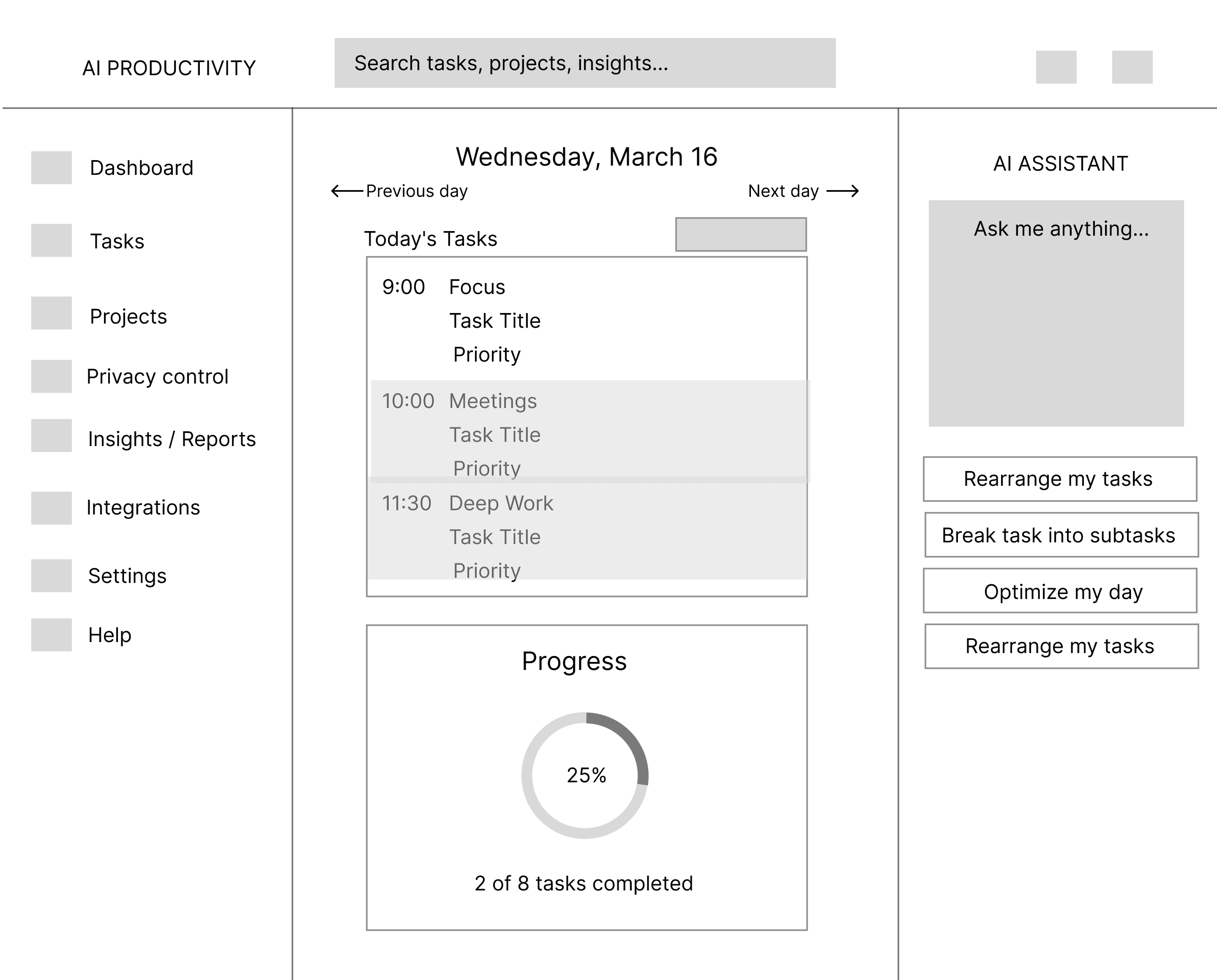
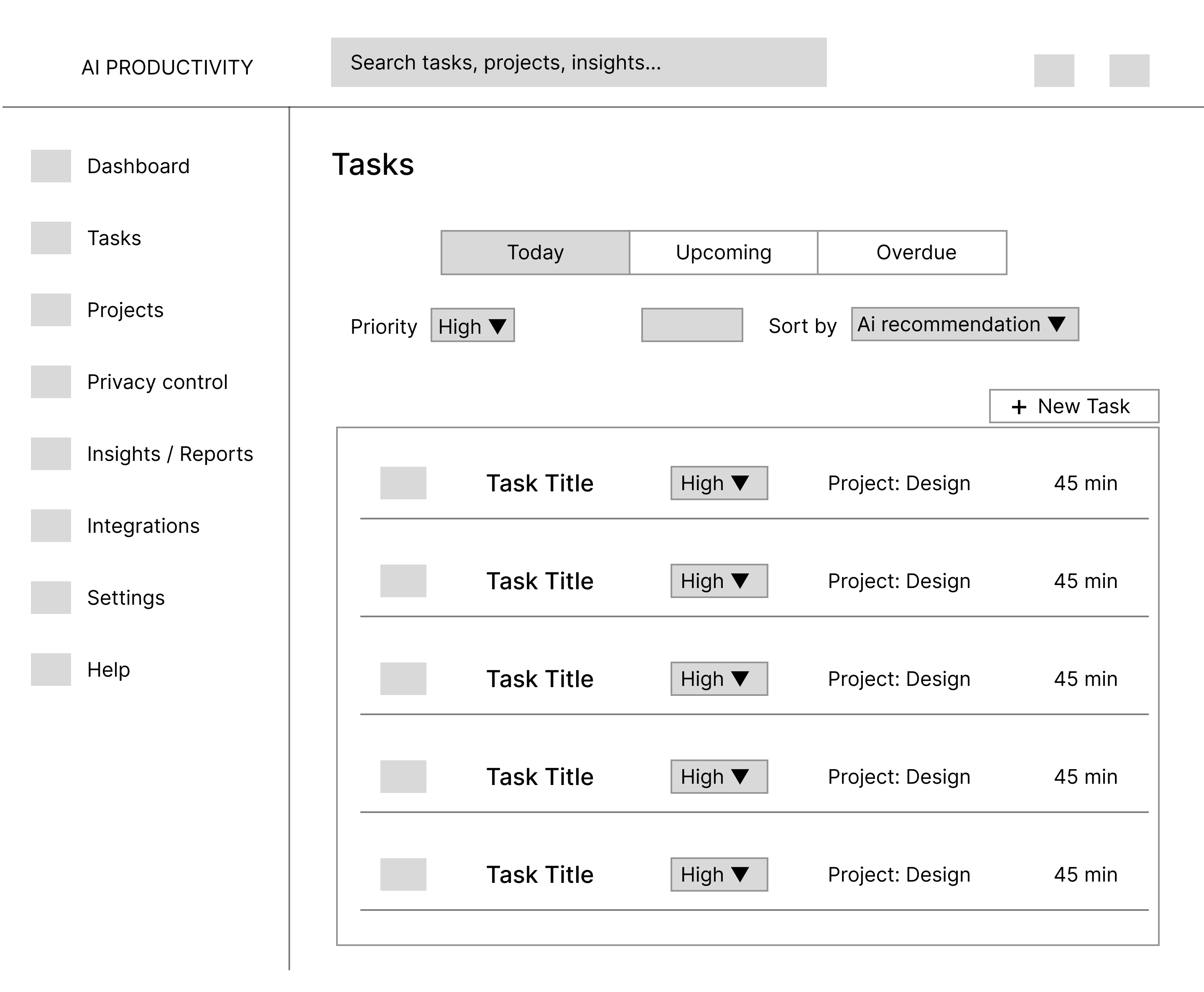
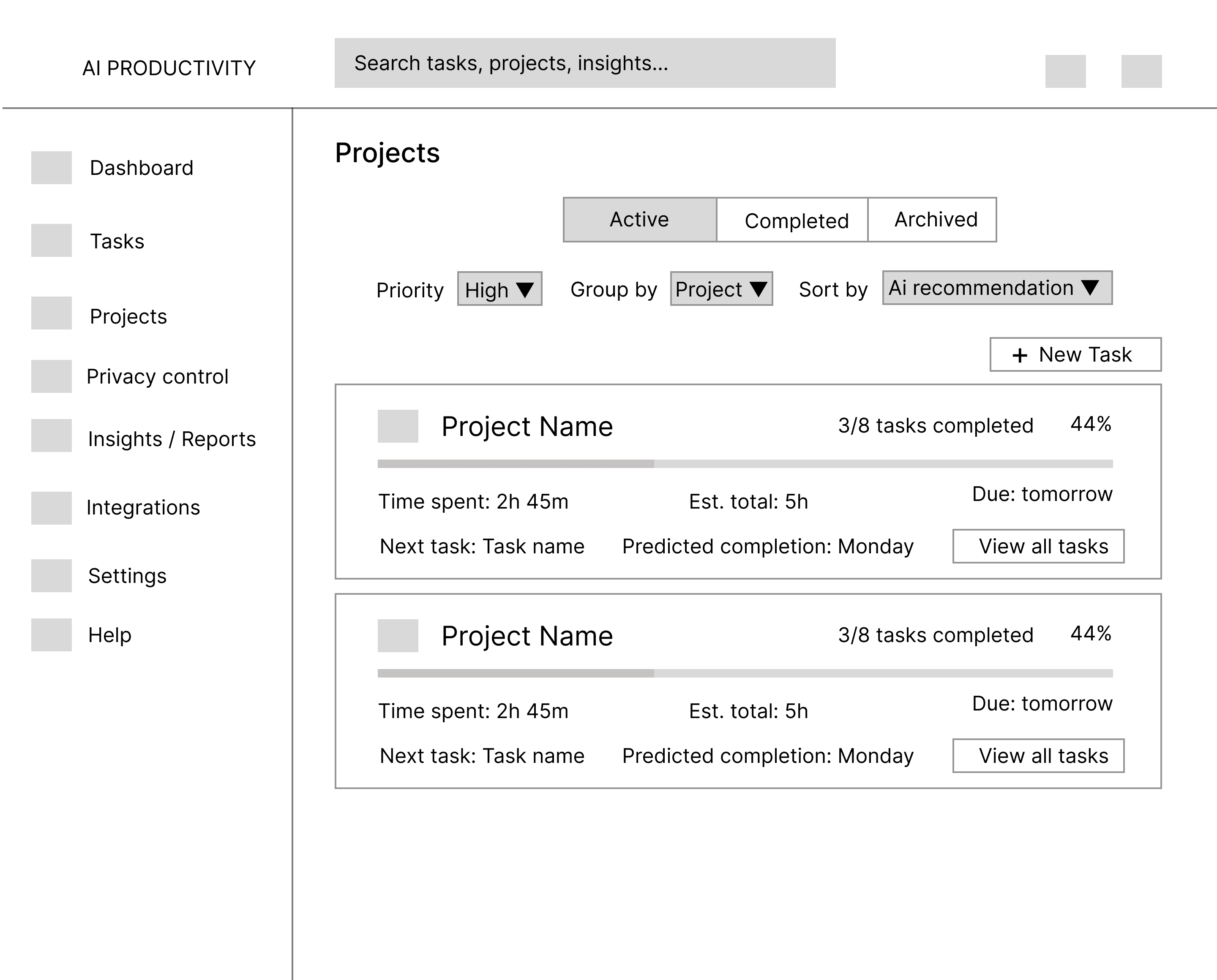
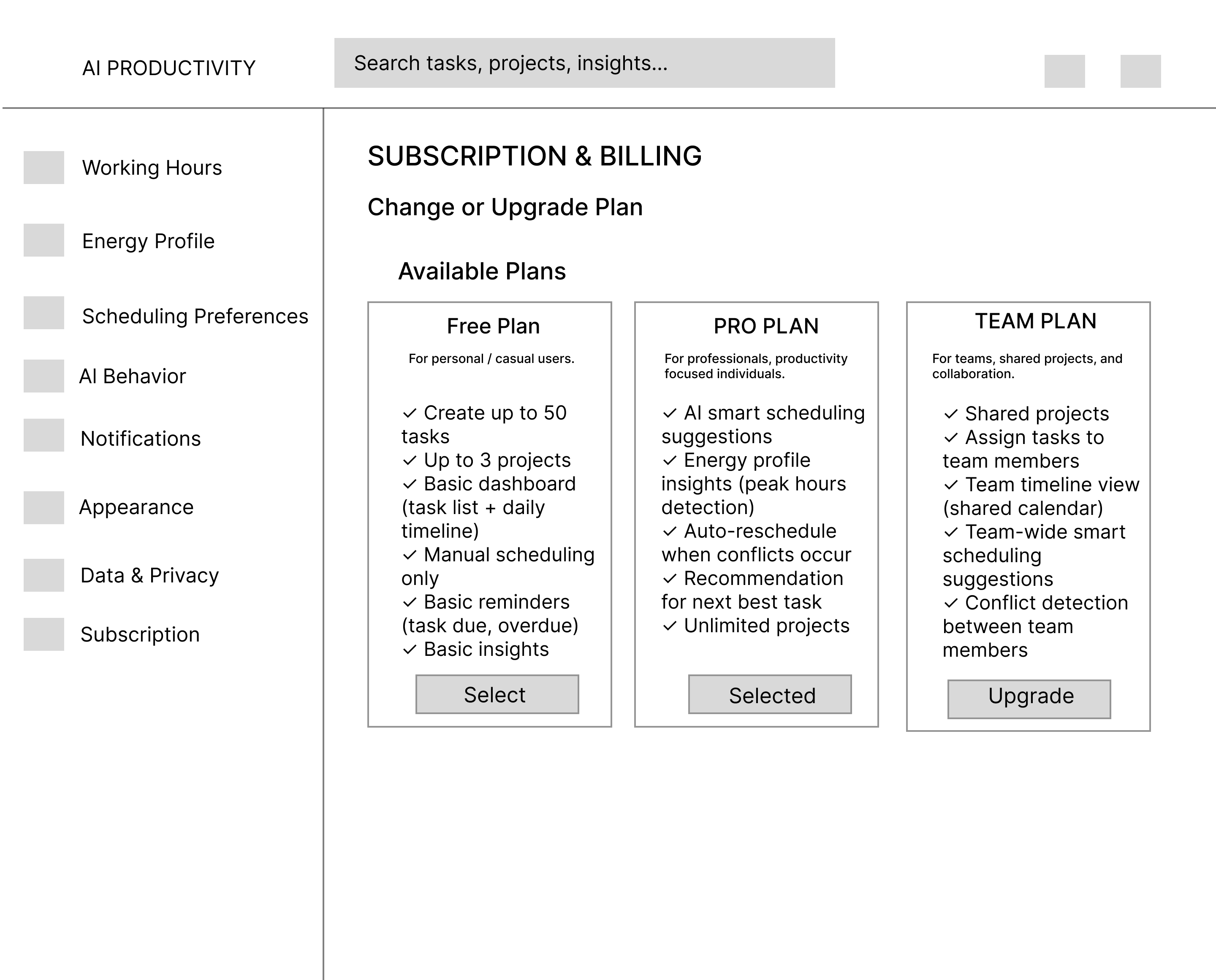
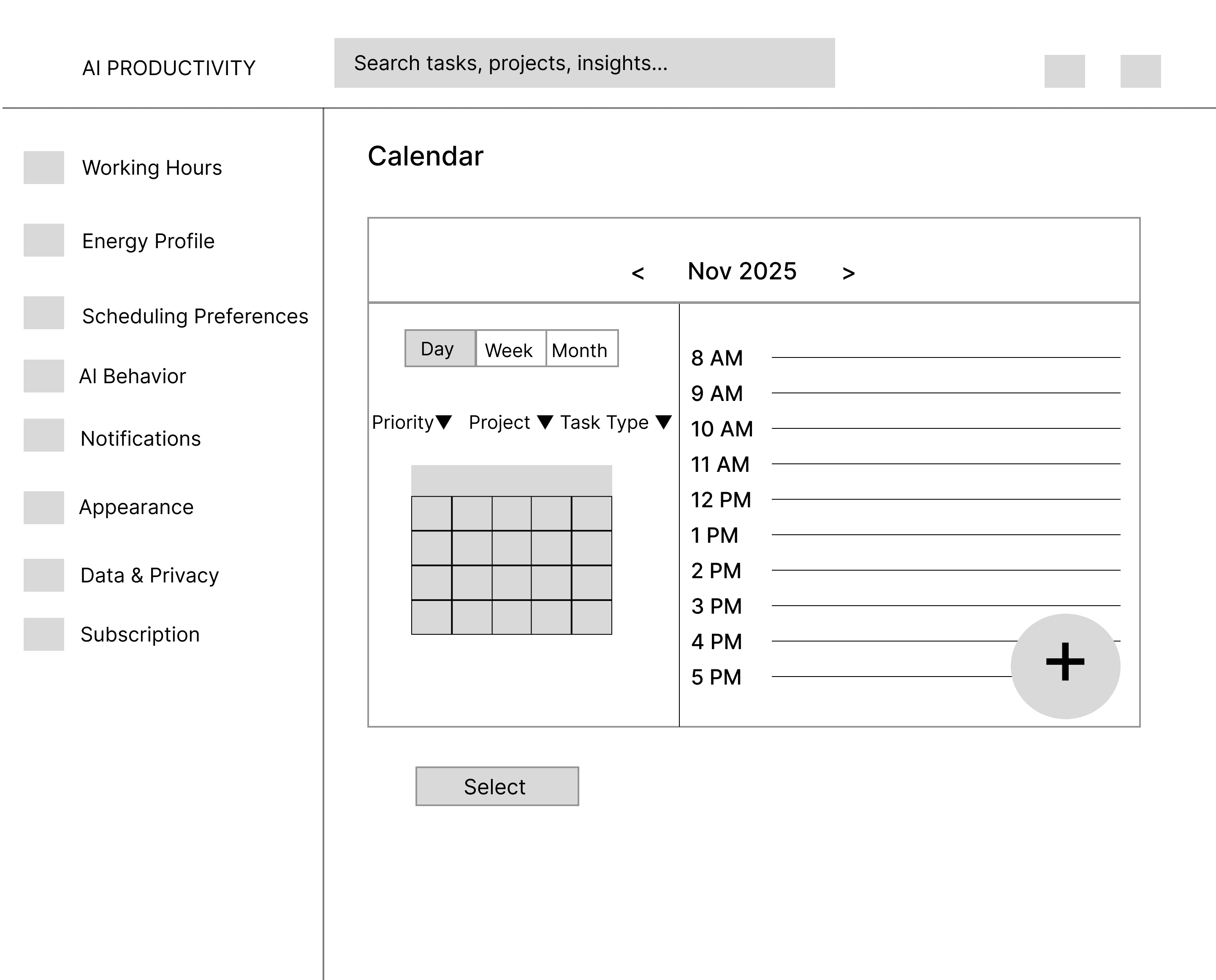
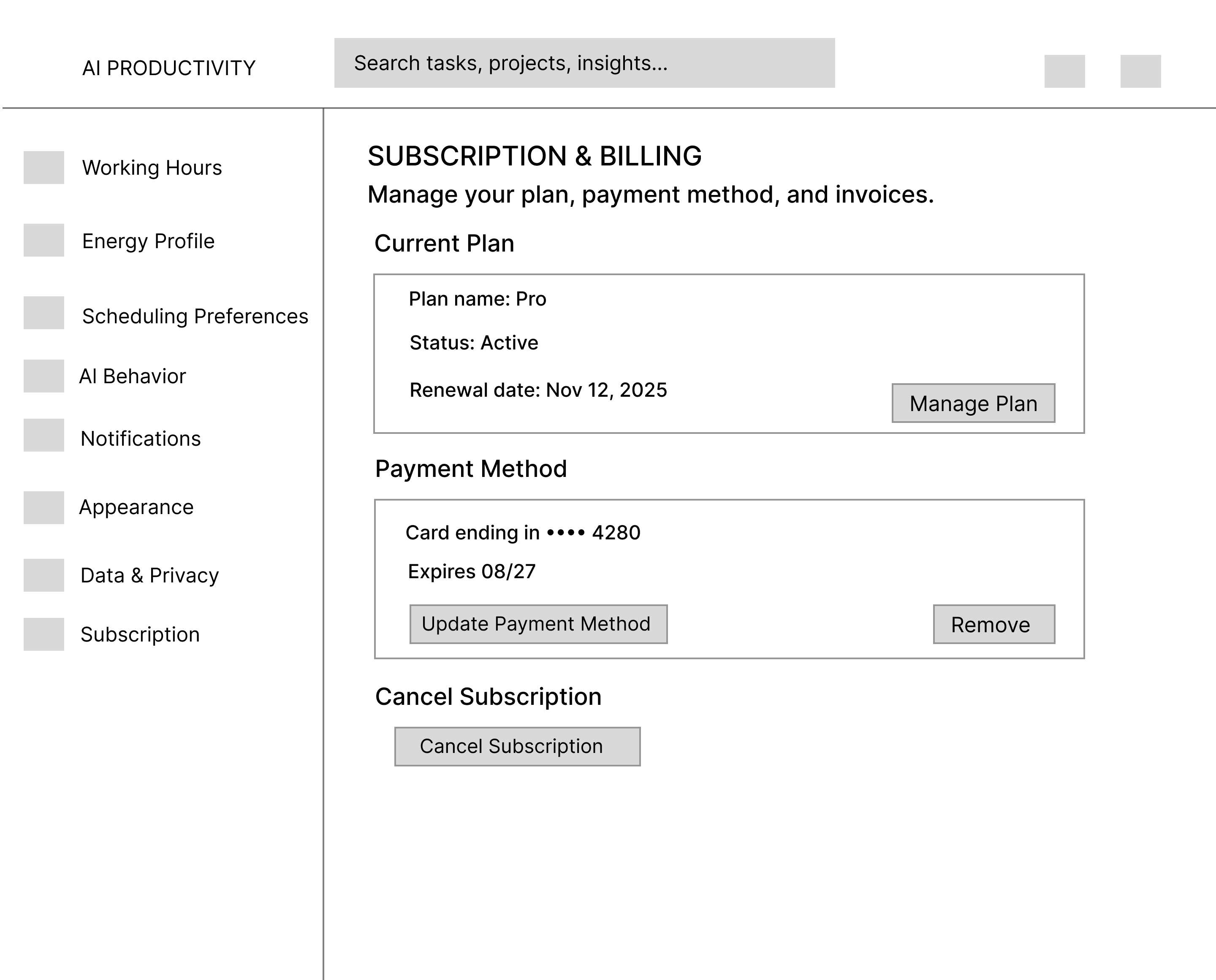
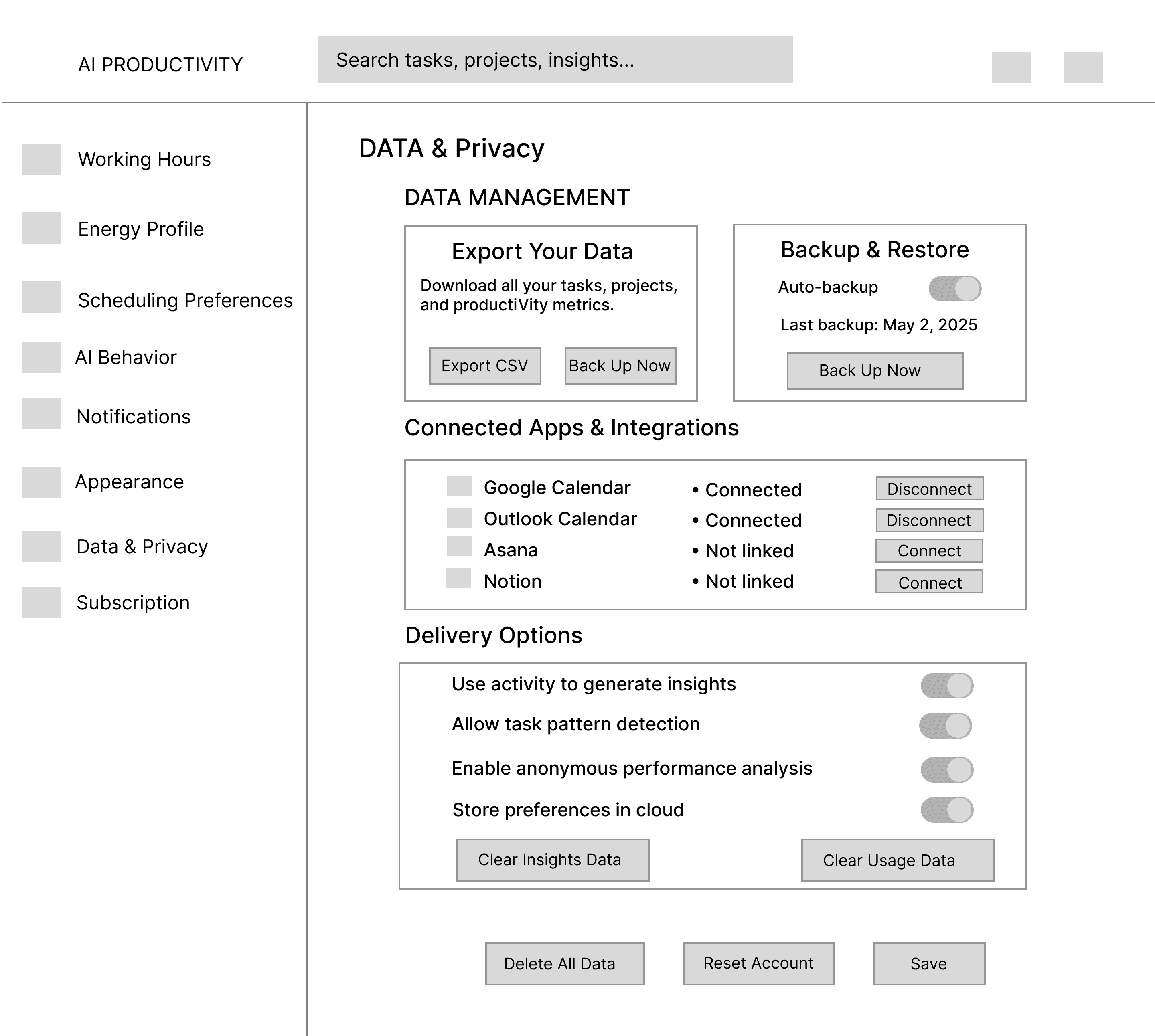
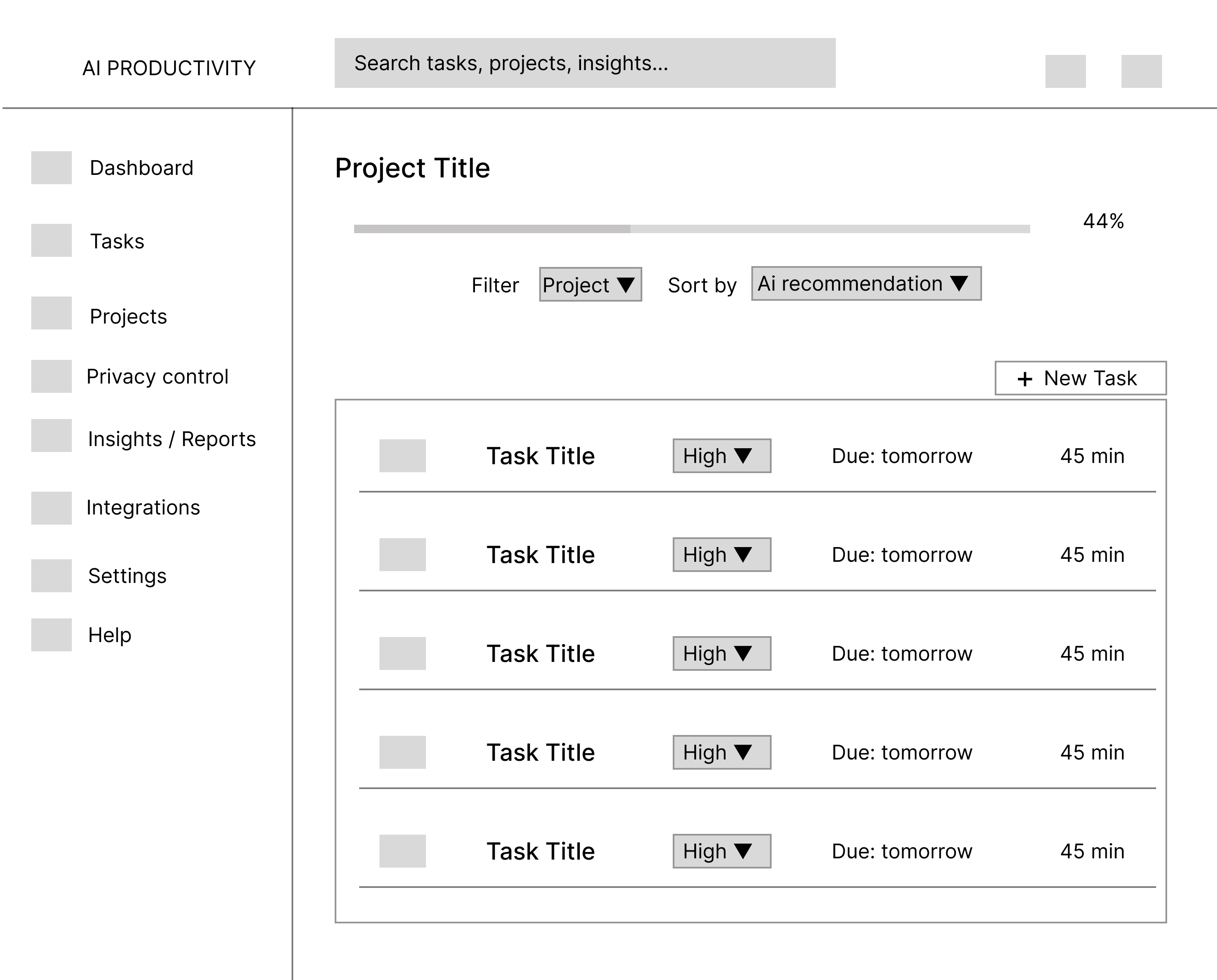
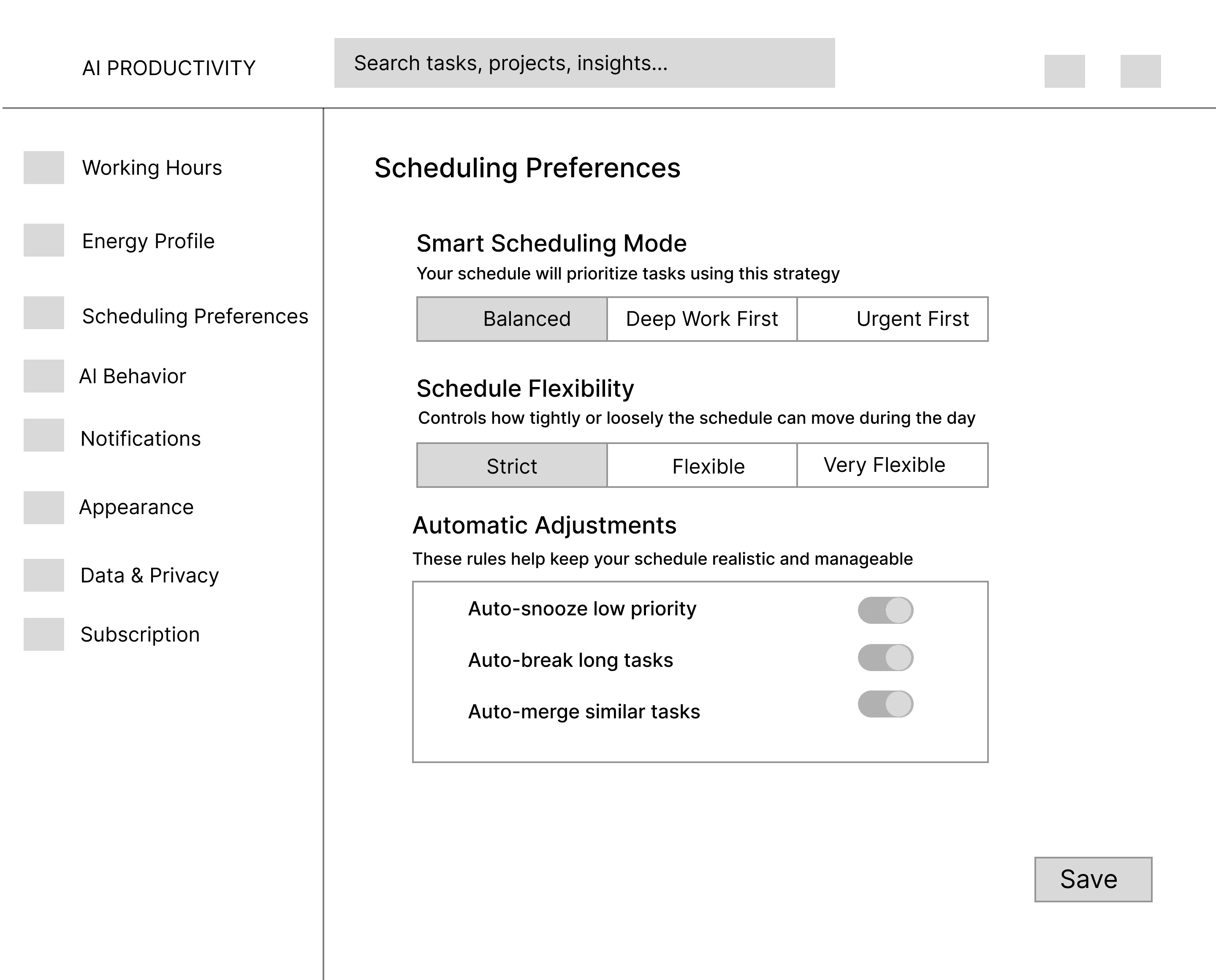
Wireframe
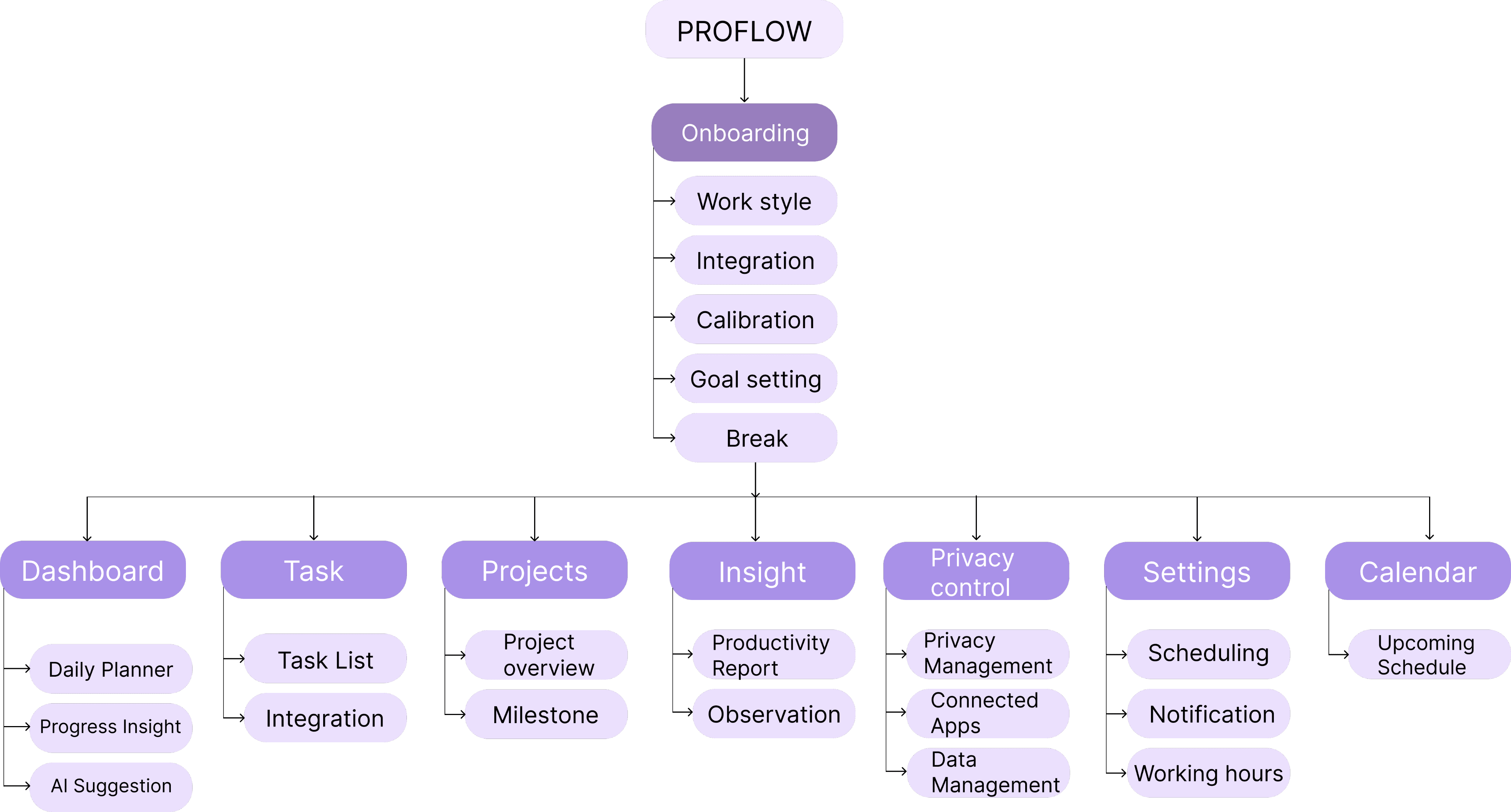
Information Architecture
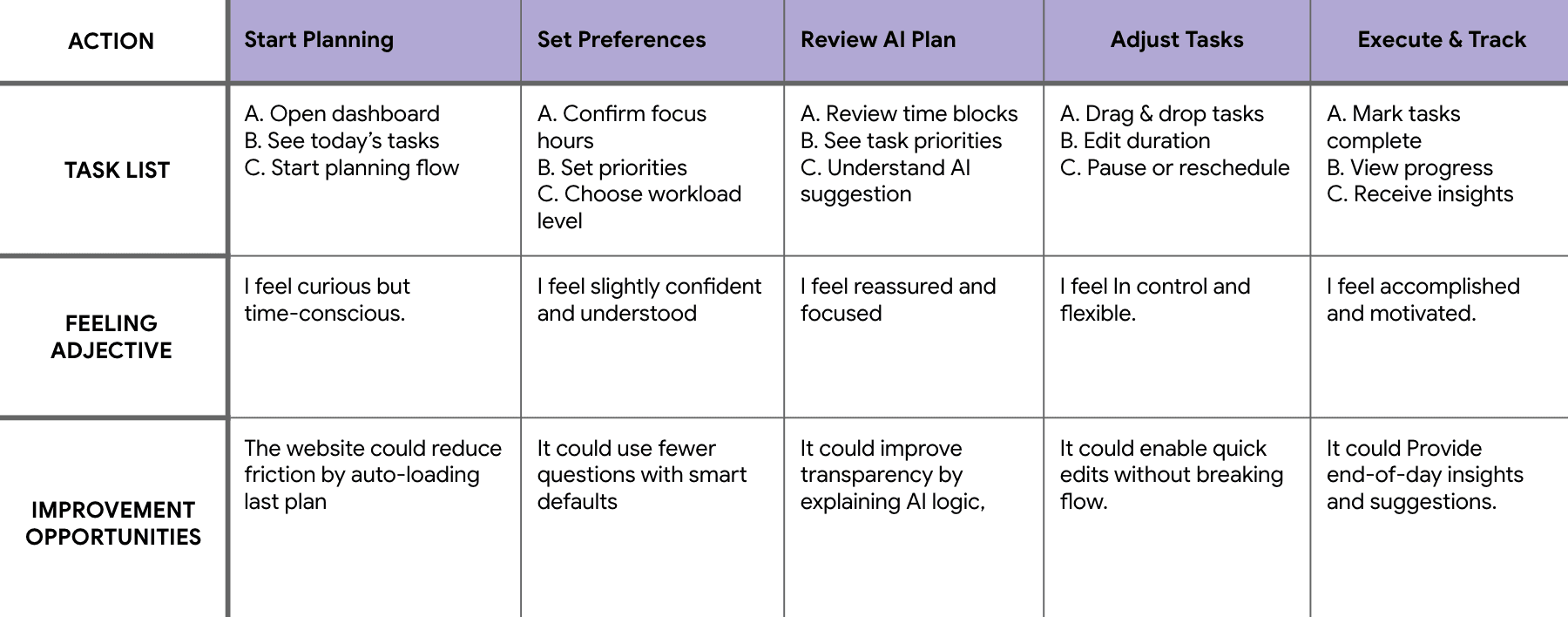
User Journey
DM Serif Dislay
Times New Roman
Inter
Font and Style Guide
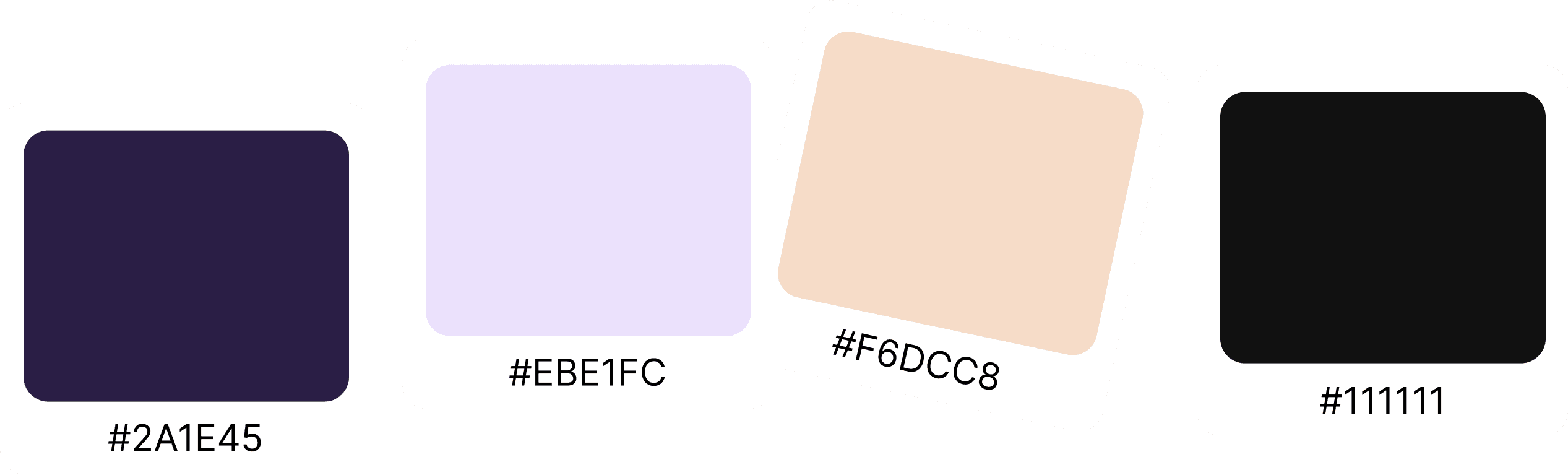
Color Palette
Authentication
Hight-fidelity UI Design
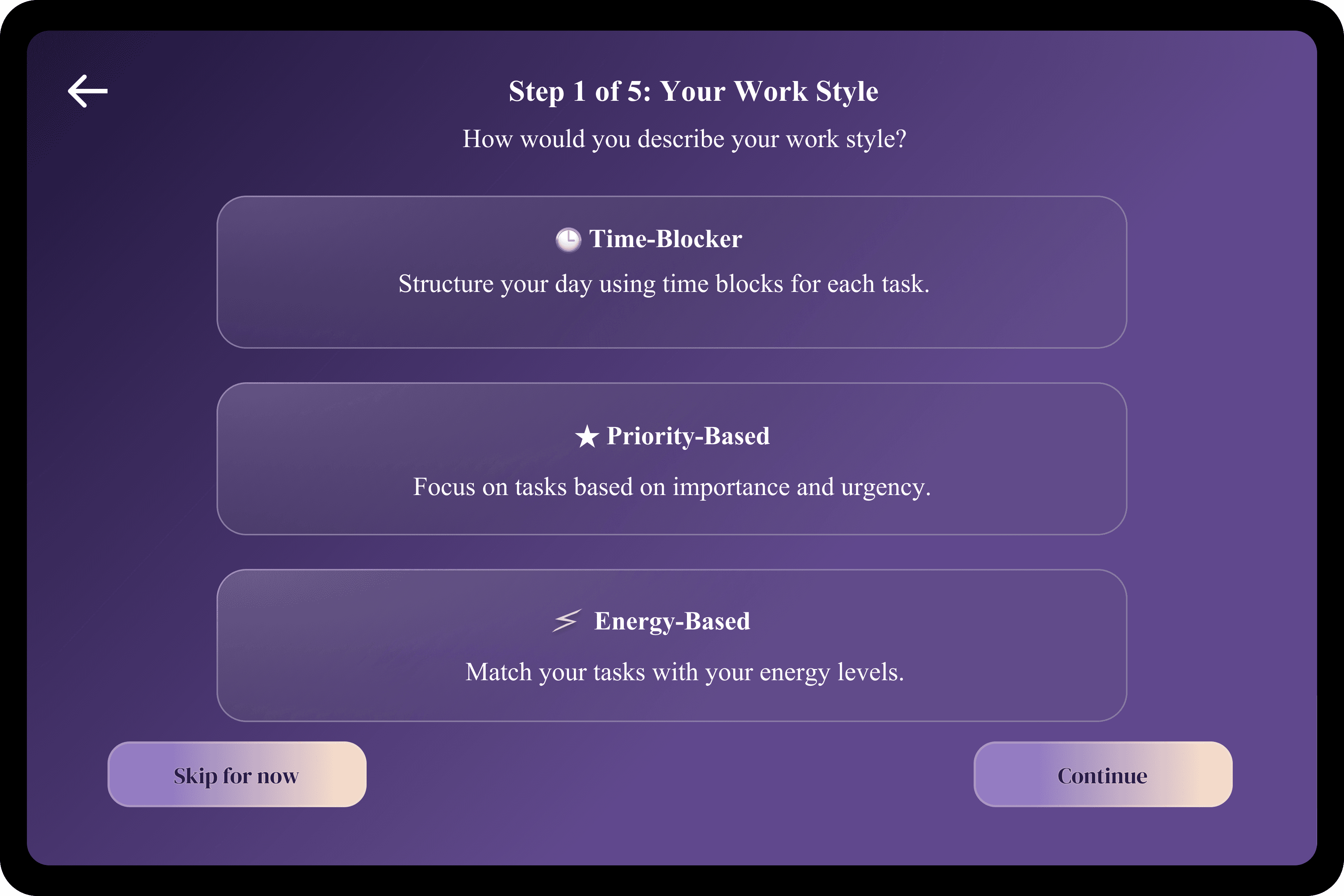
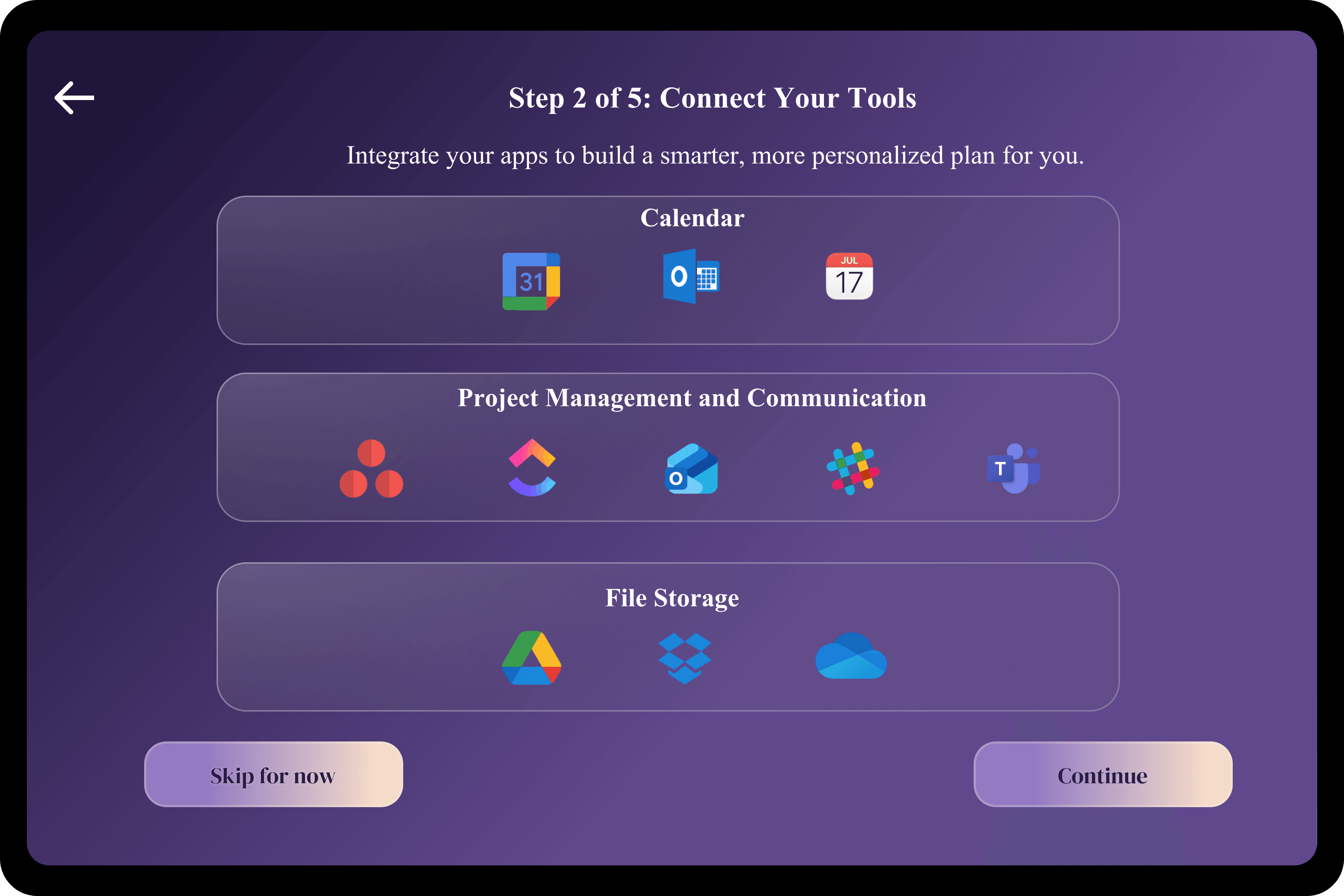
Onboarding
Dashboard
Tasks & Projects
Insights & Privacy Control
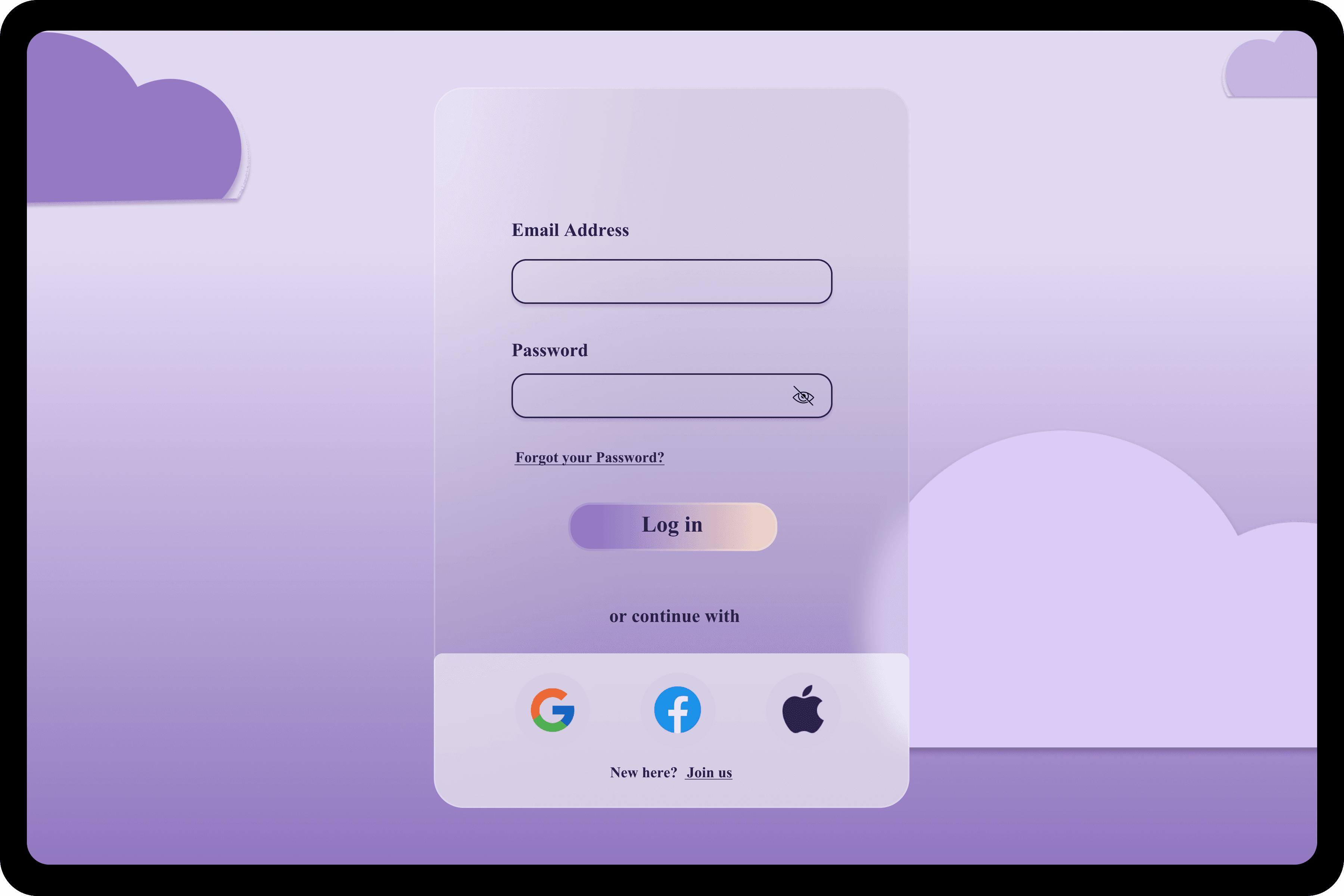
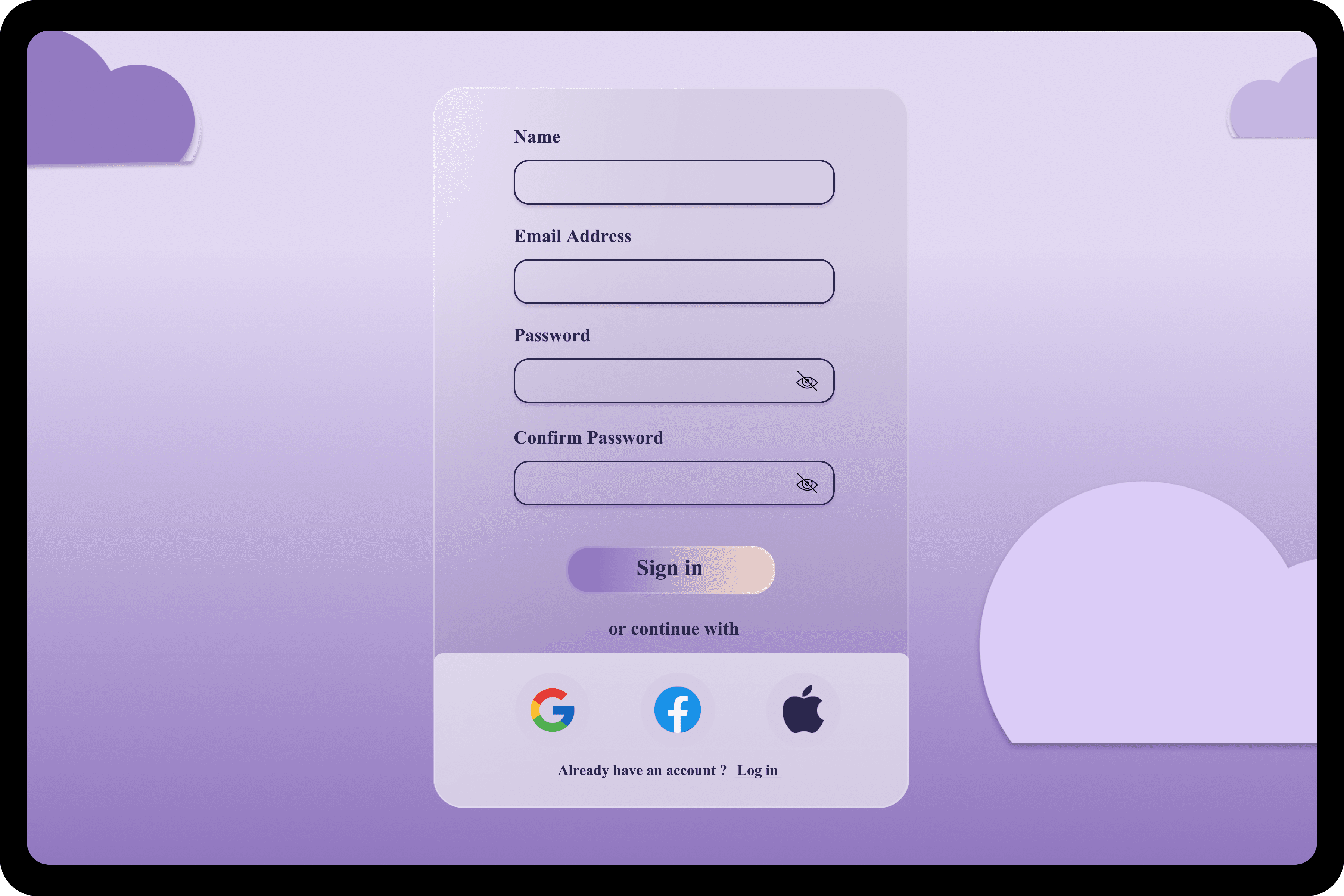
The authentication flow allows users to quickly access their workspace and resume productivity
without friction. It supports secure sign-in while keeping the process minimal so users can move
into planning and execution immediately.
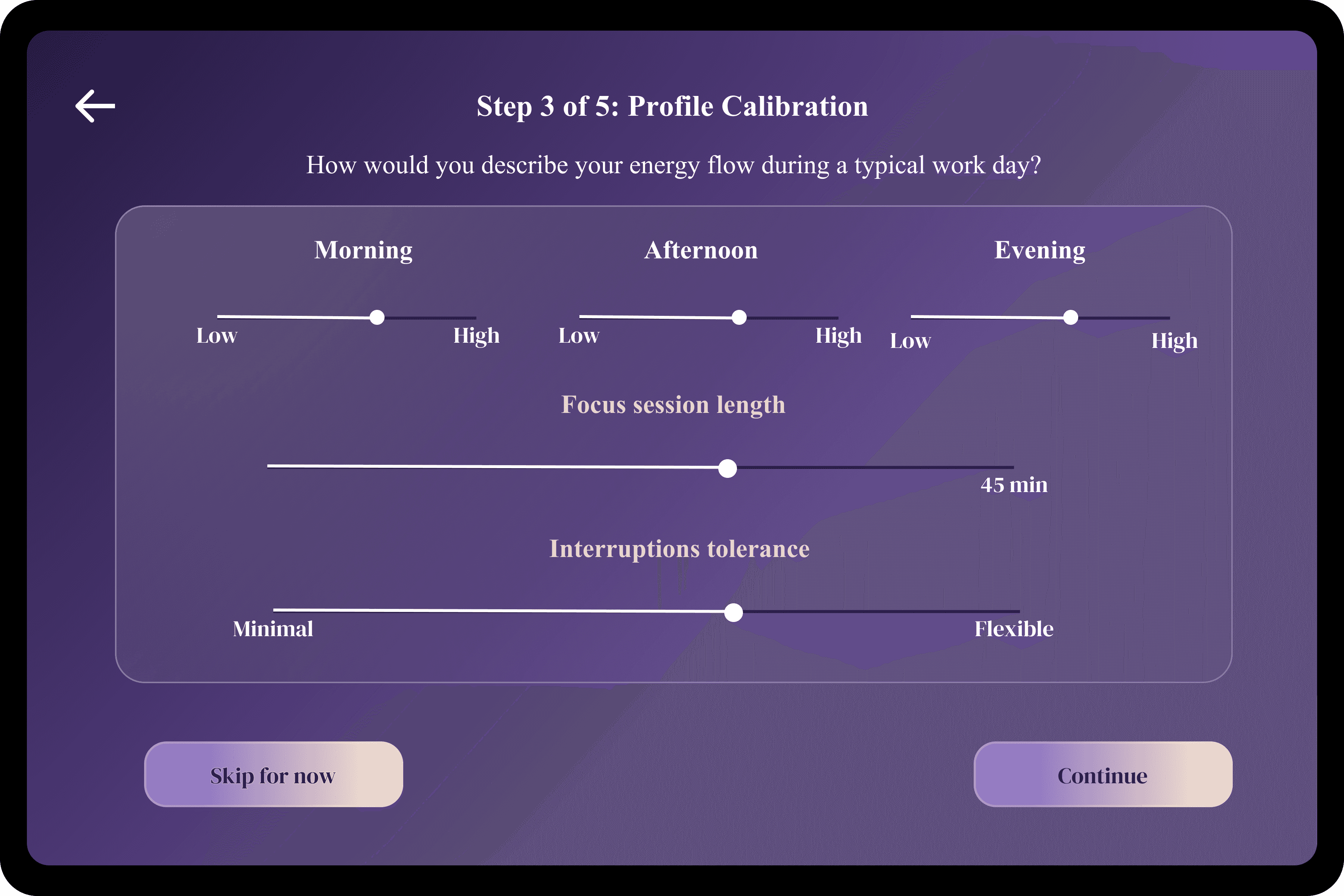
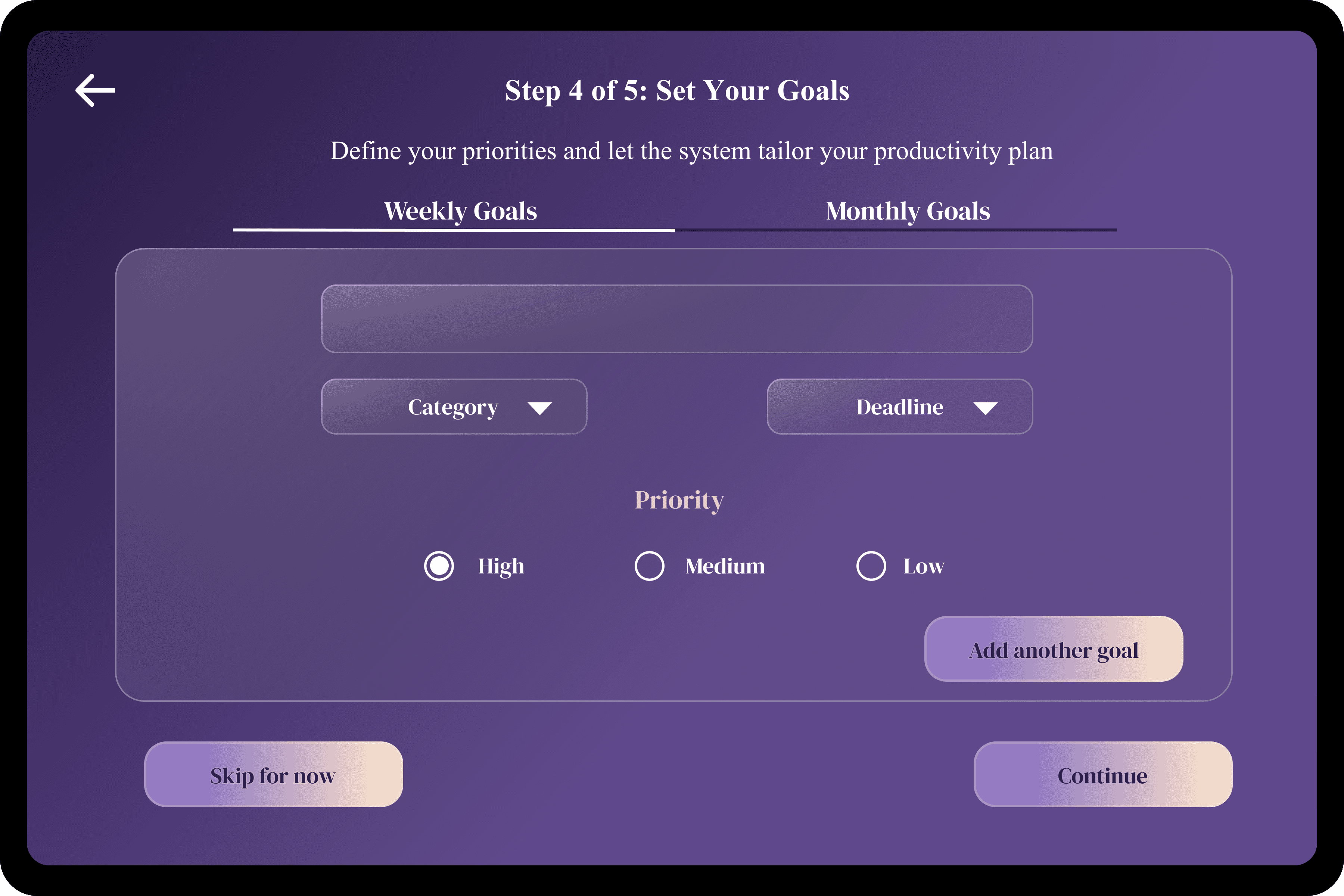
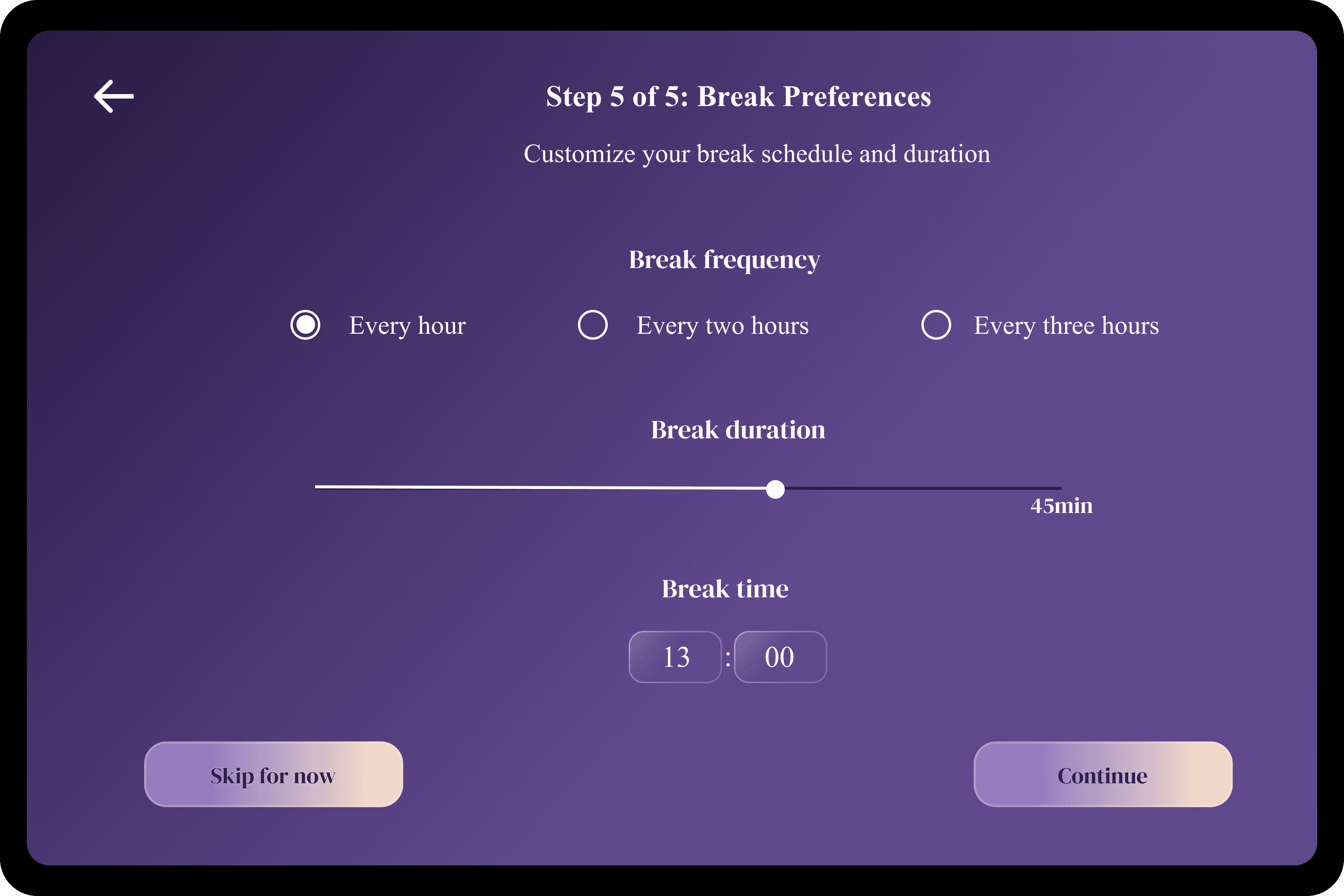
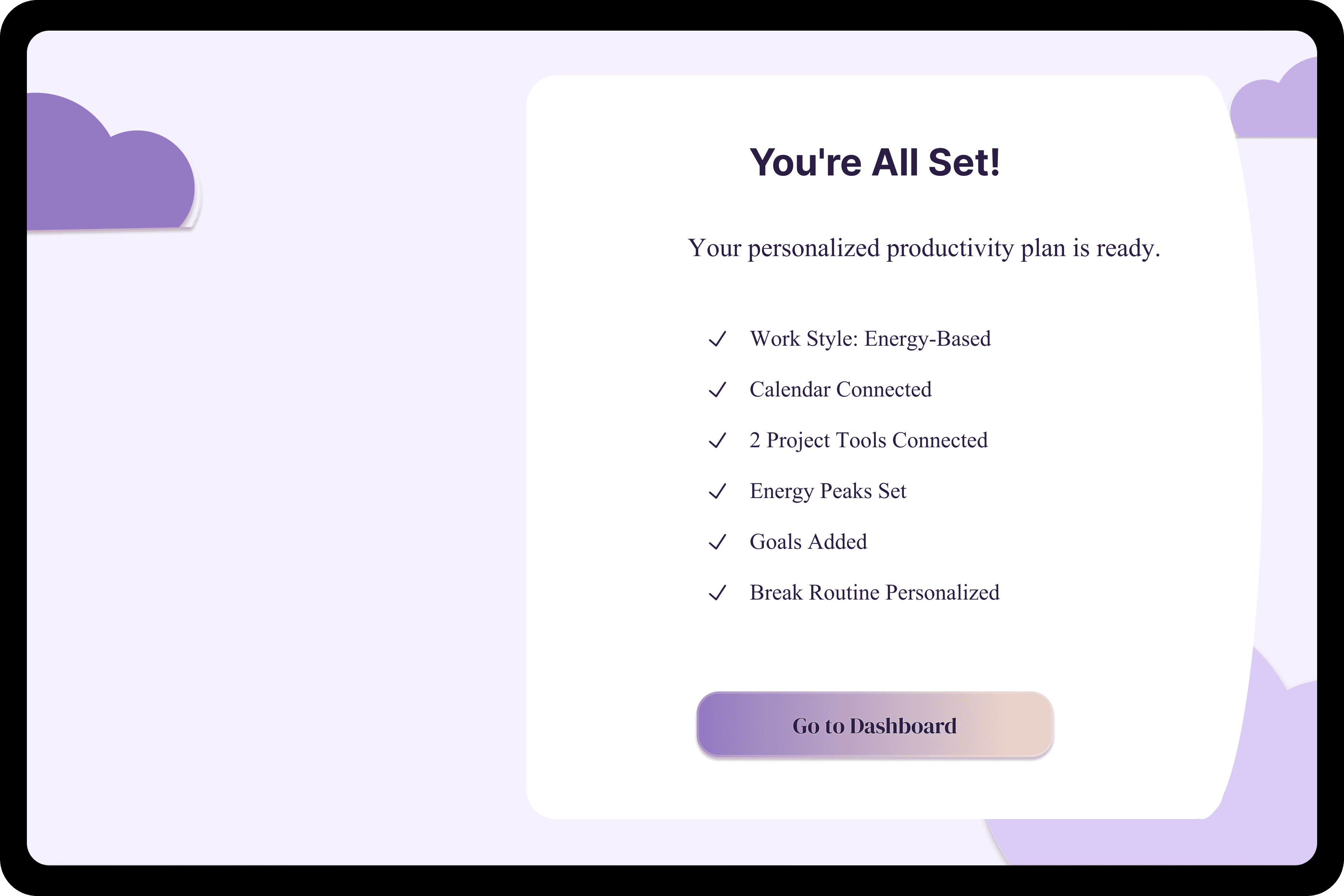
Onboarding collects essential information about the user’s work habits, goals, and availability.
This setup ensures that task suggestions, scheduling, and reminders are aligned with how the
user naturally works, rather than forcing a rigid system. It consists of 6 steps, Work style, Apps
integration, Profile Calibration, Goals setting (Weekly/Monthly) and Break Preferences.
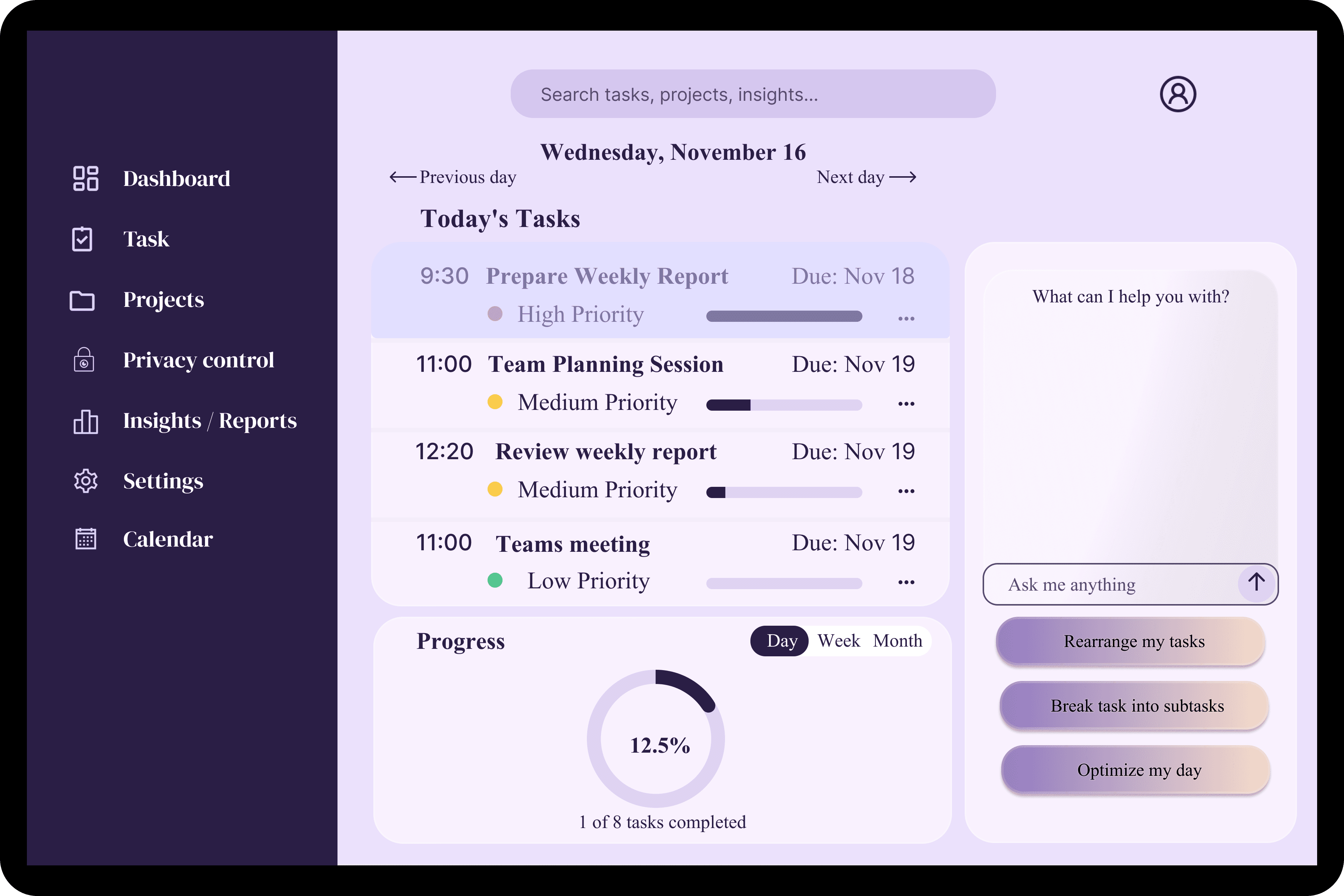
The dashboard provides a real-time overview of the user’s day, showing prioritized tasks, progress,
and upcoming work blocks. It helps users understand what to focus on next and how their time is
being allocated without needing manual planning.
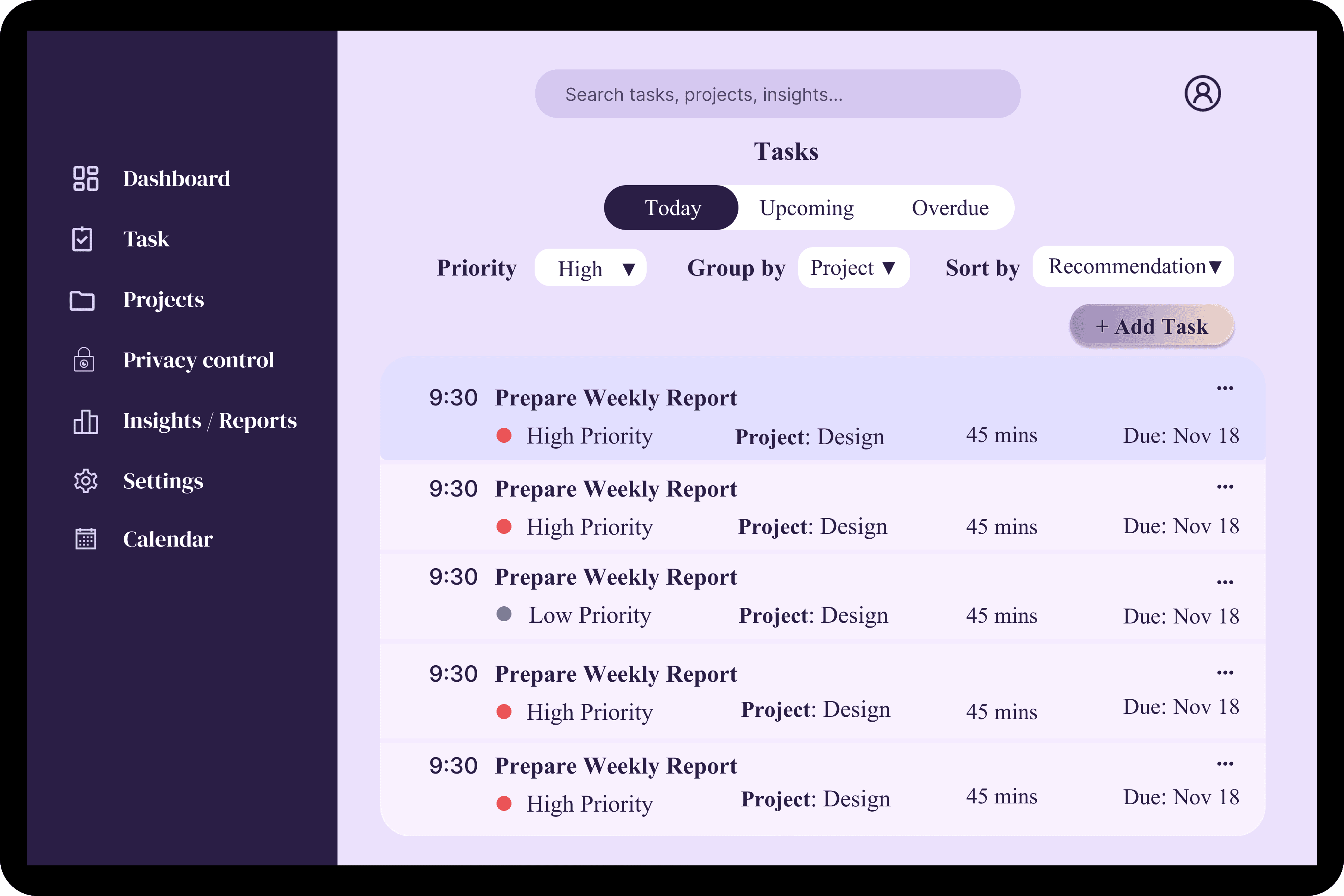
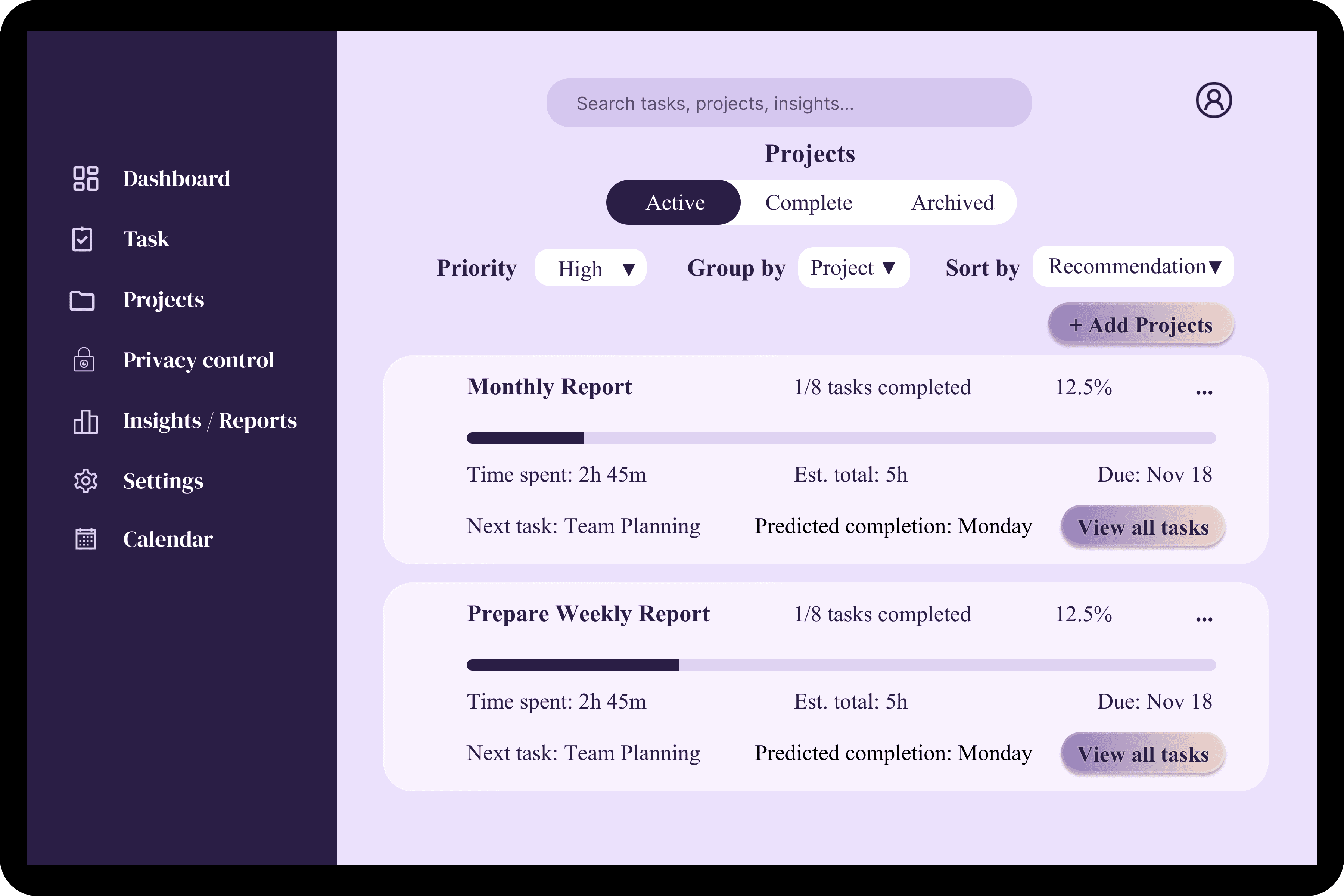
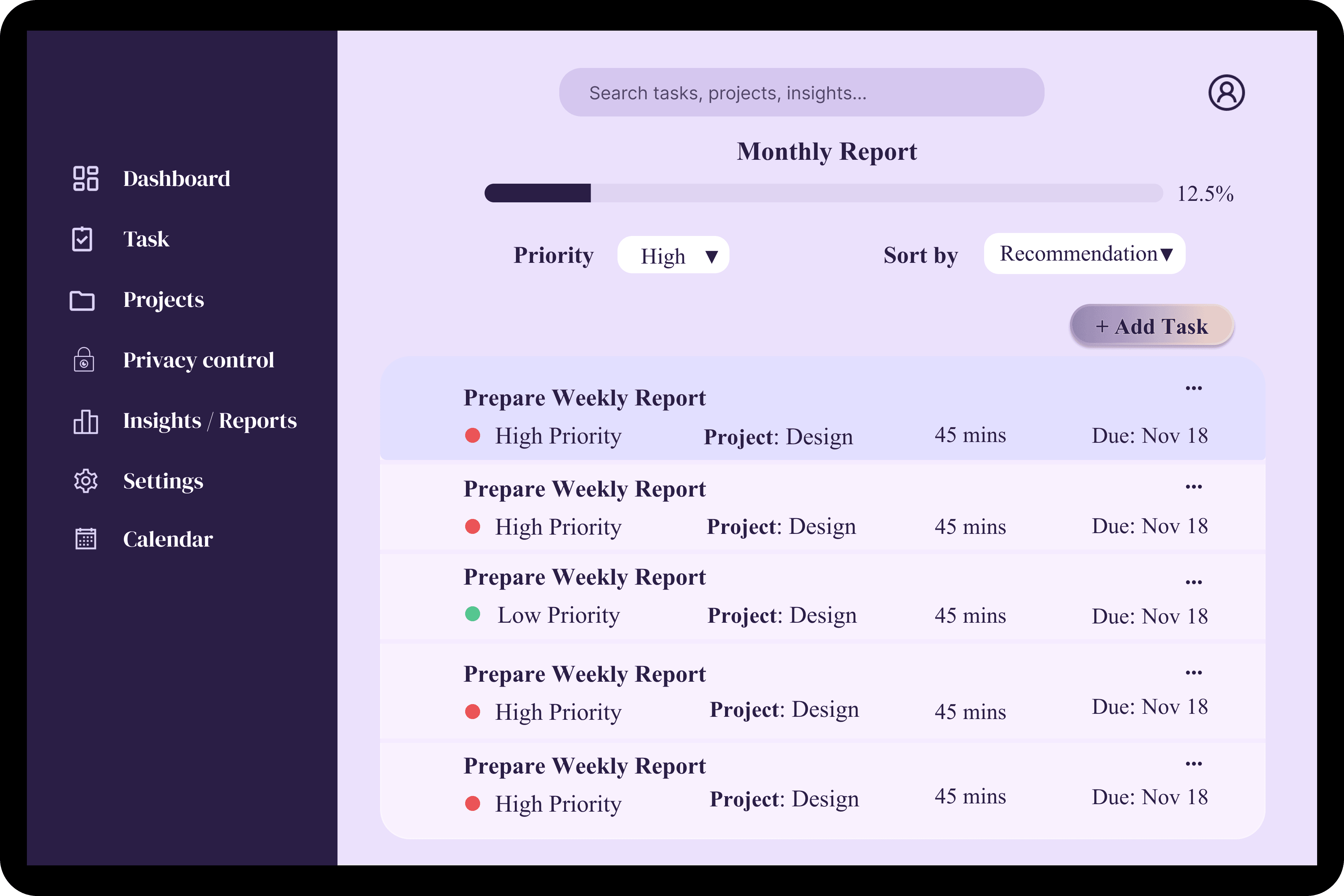
Tasks are organized within projects to give context and structure to daily work.Users can view
priorities, deadlines, and durations in one place, making it easier to manage workloads and track
progress across multiple projects.
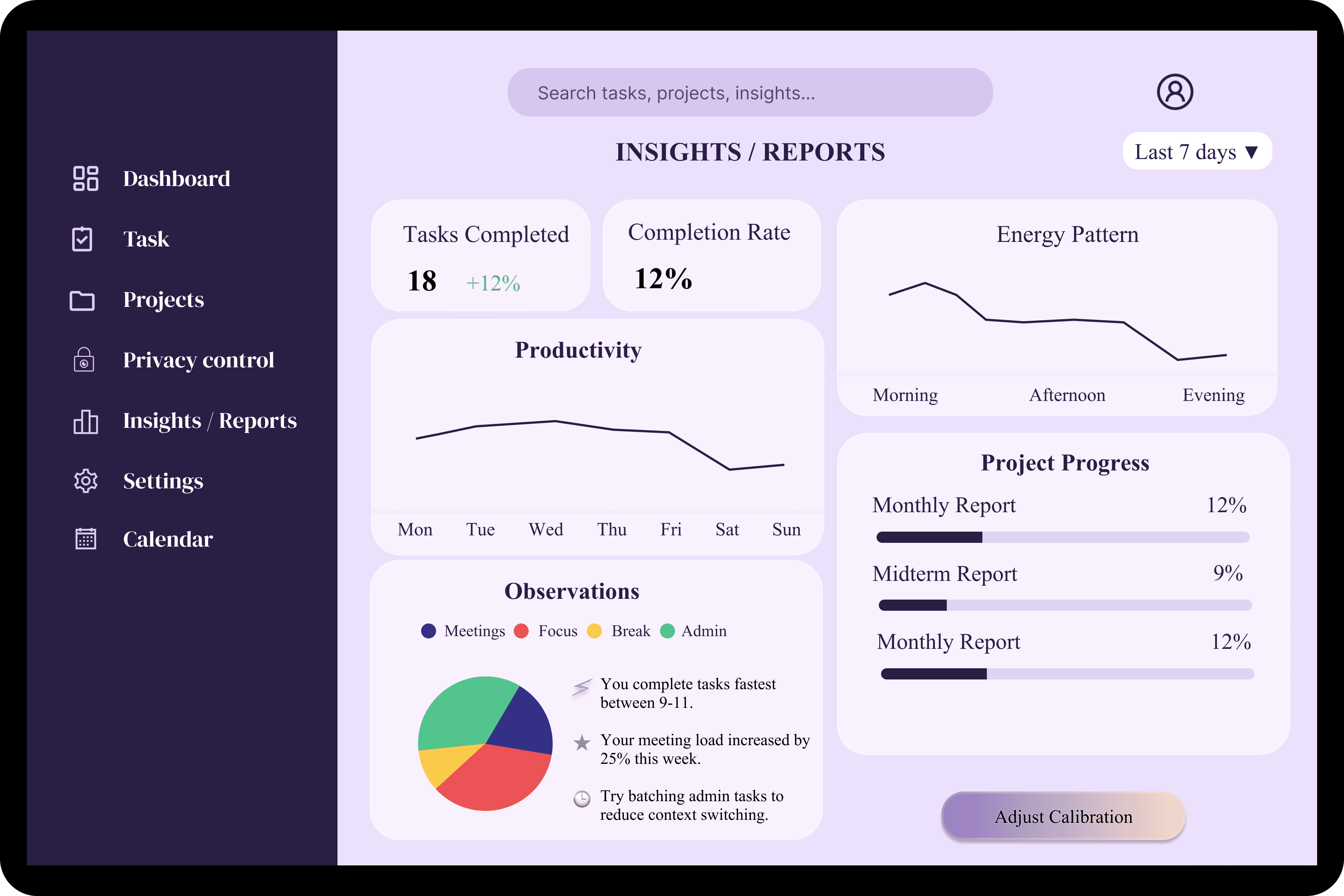
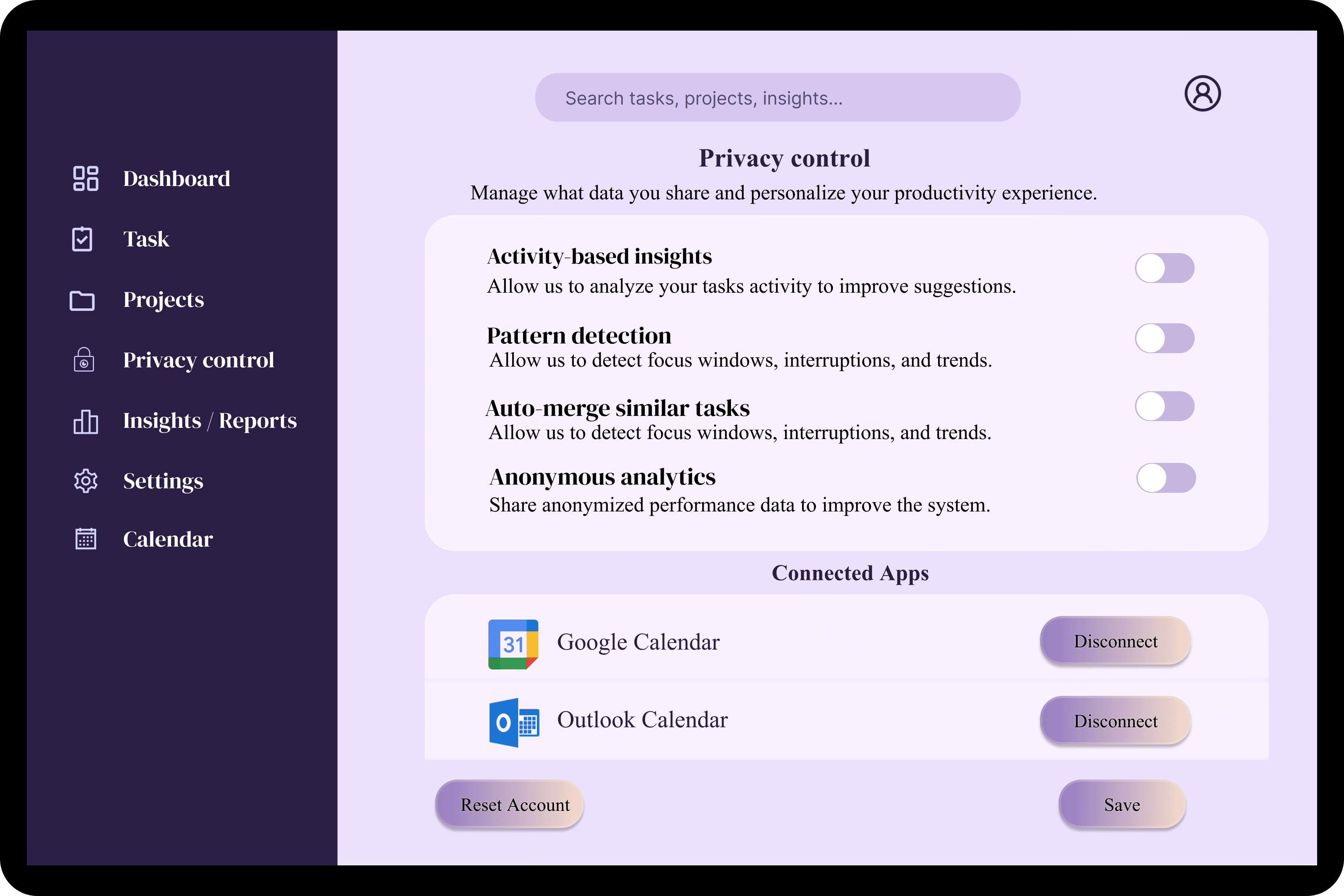
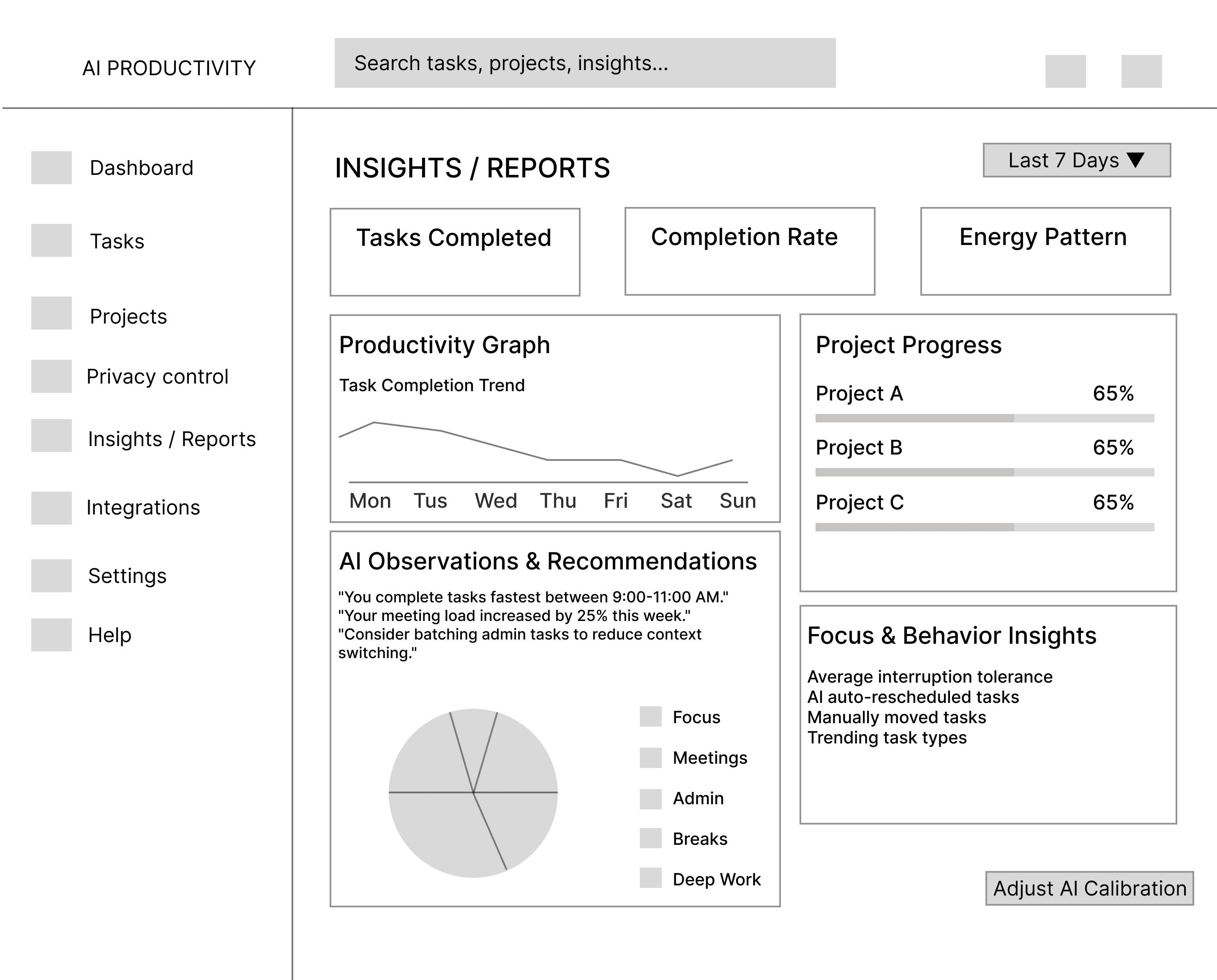
Insights help users understand productivity patterns over time, such as task completion trends and
time distribution. Privacy controls allow users to manage what data is stored or synced, ensuring
transparency and trust while using the platform.
Settings
Calendar and Profile
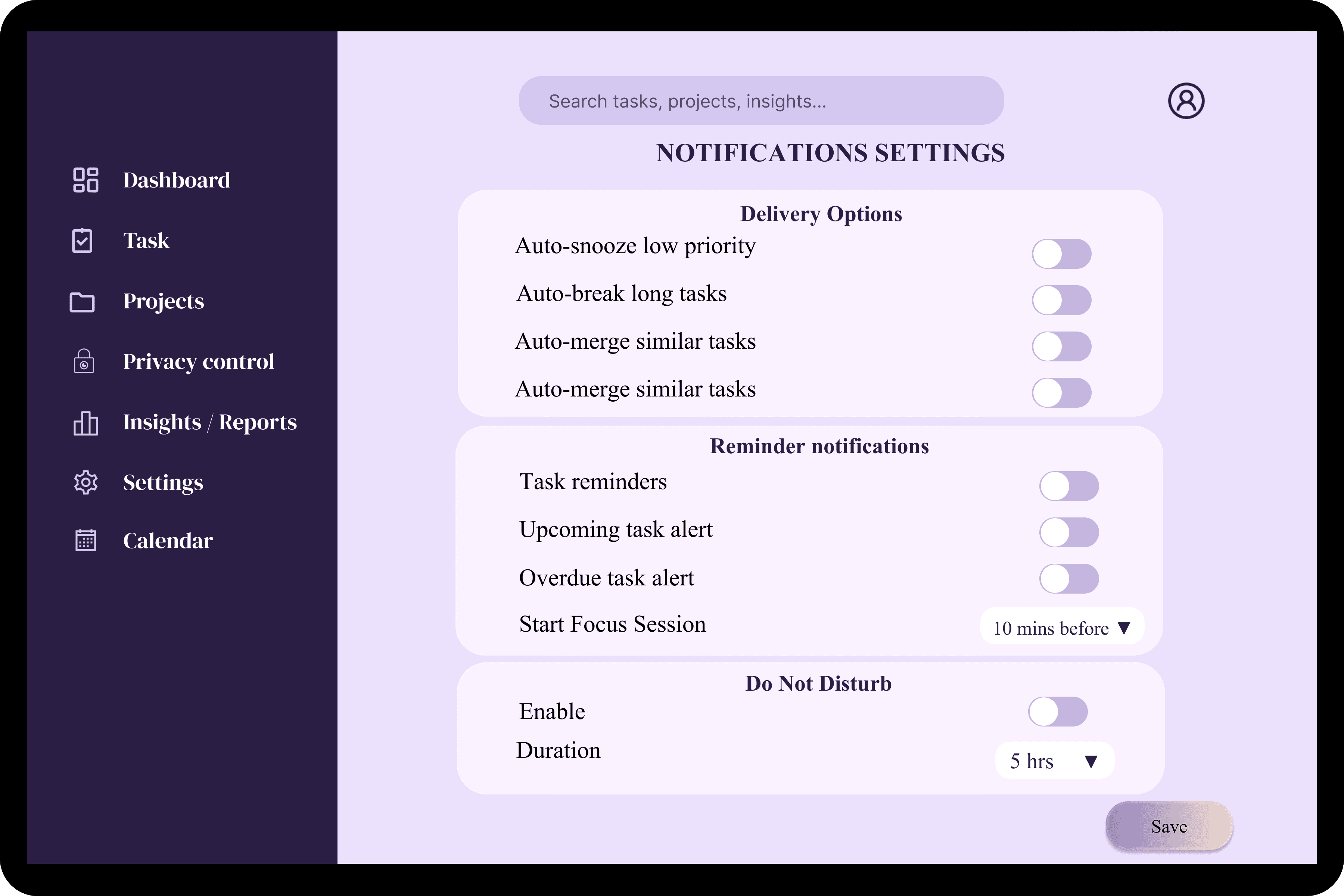
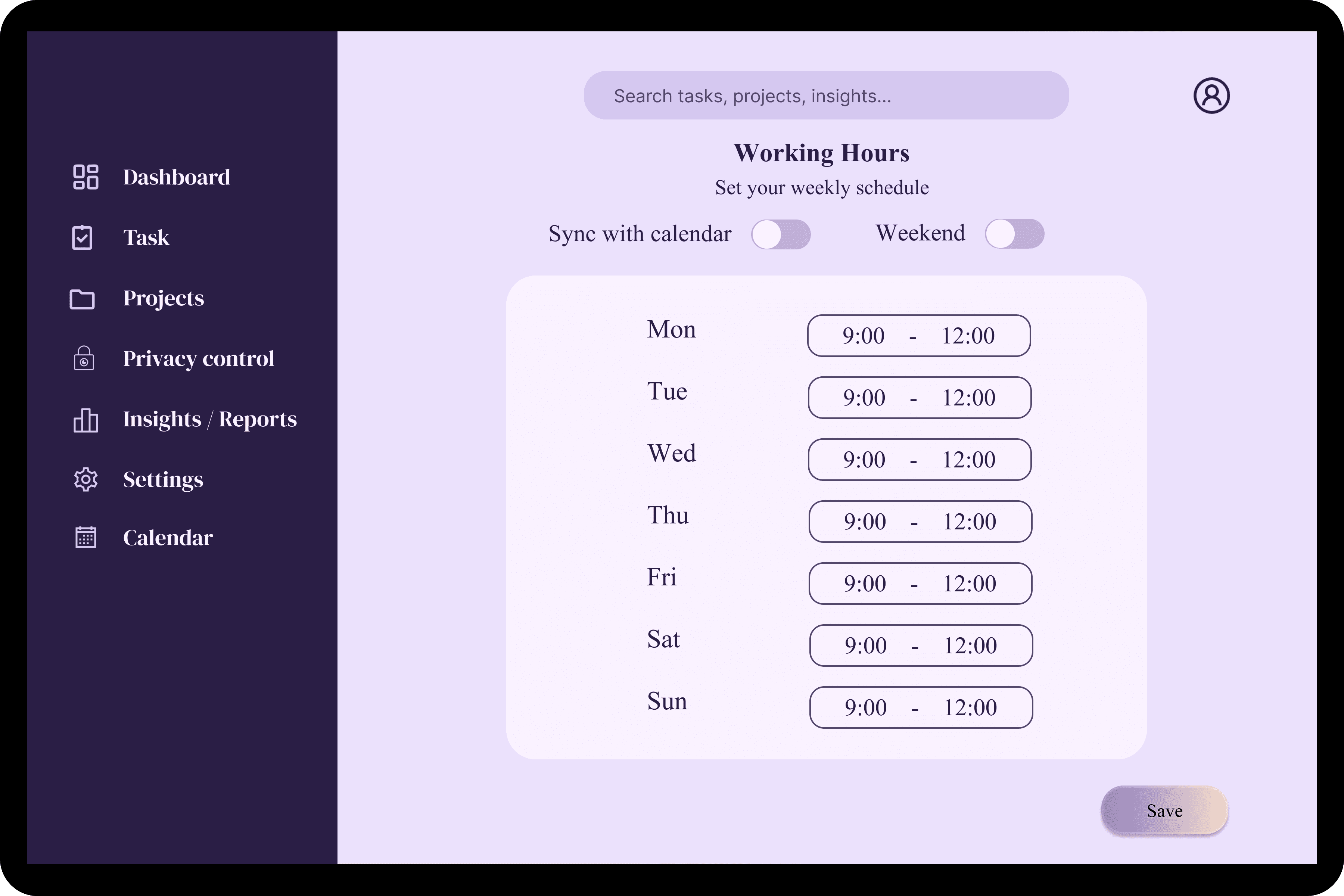
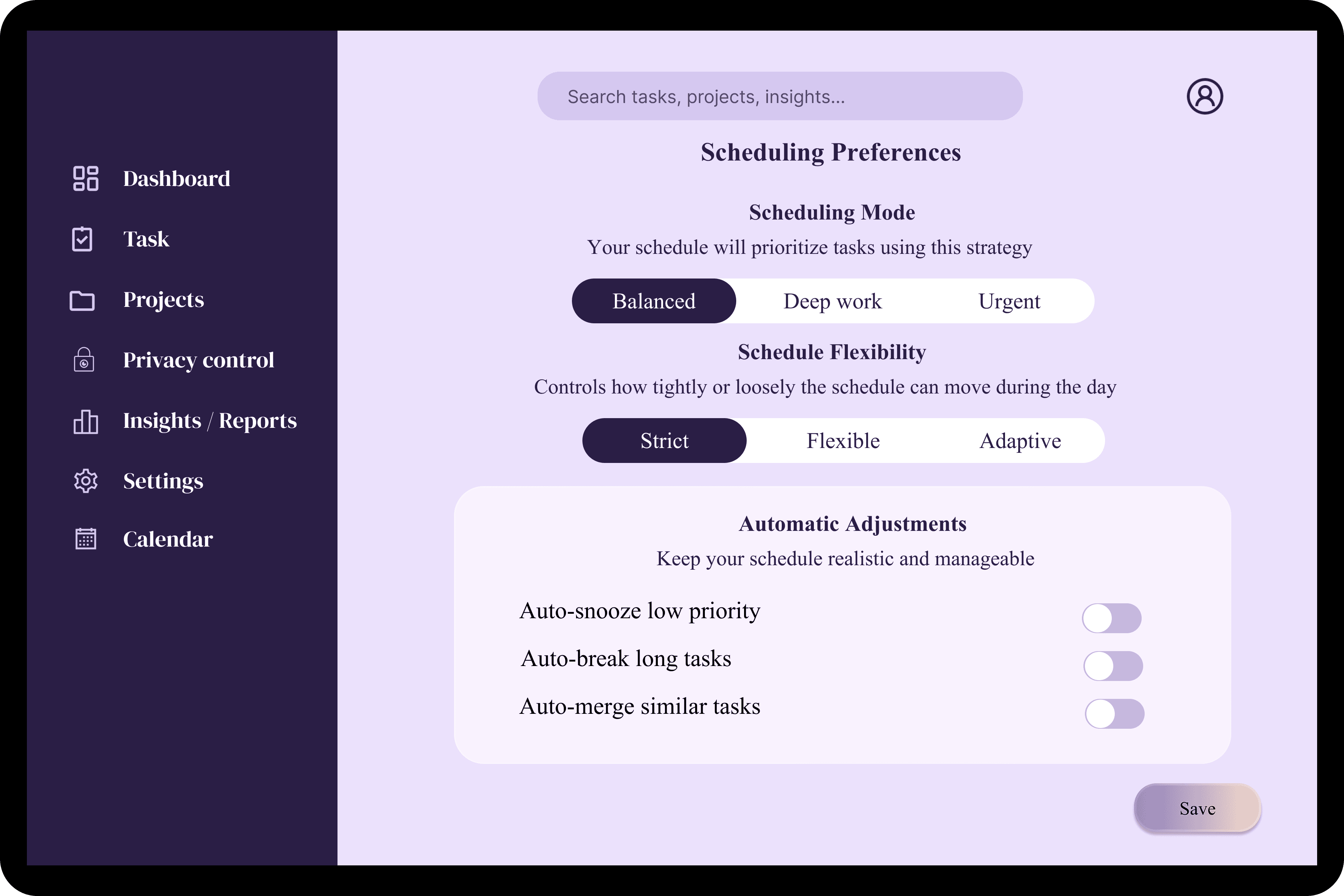
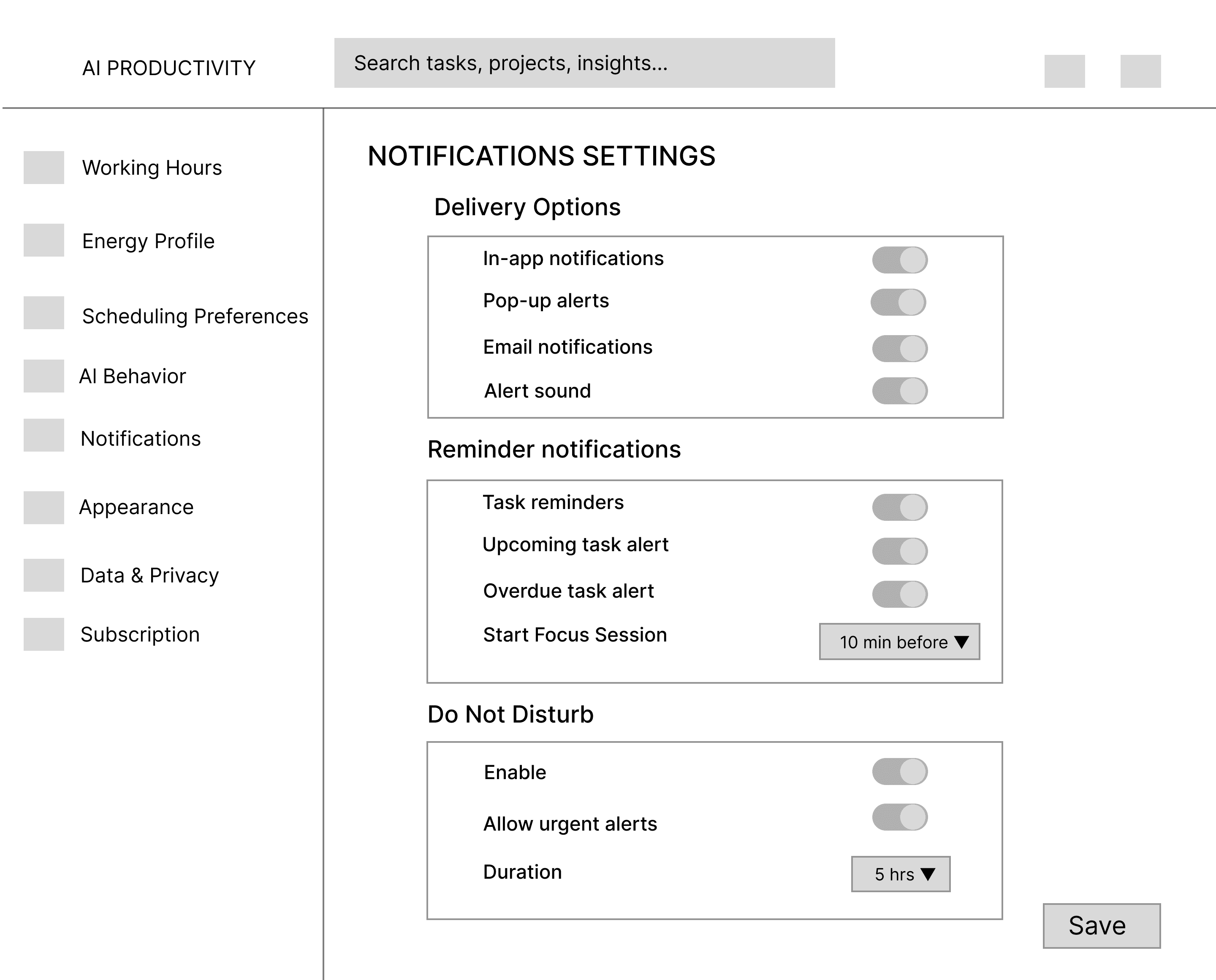
Settings give users control over scheduling behavior, notifications, and personal preferences. This
allows the system to adapt to changing work needs while maintaining consistency in daily planning
and task management.
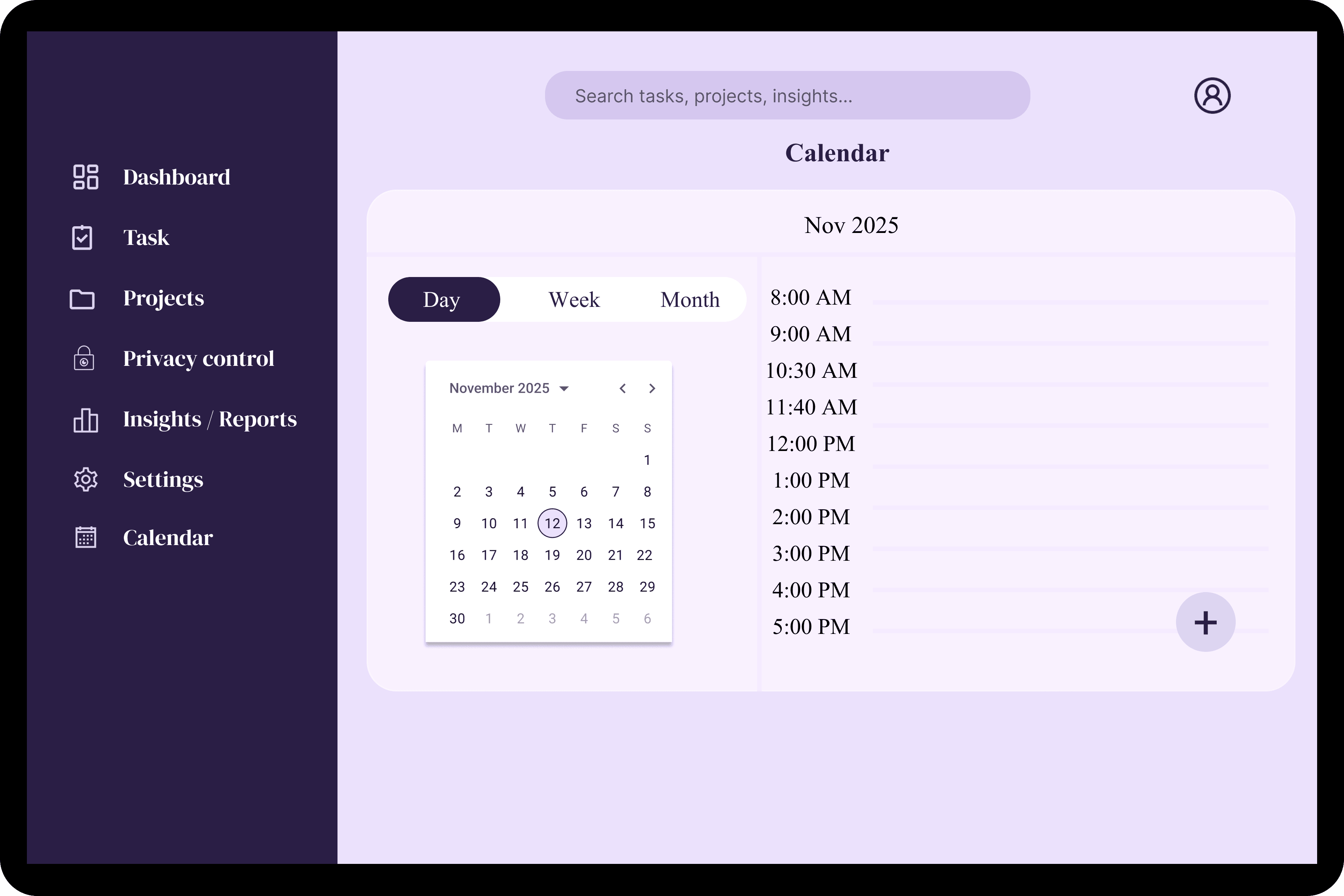
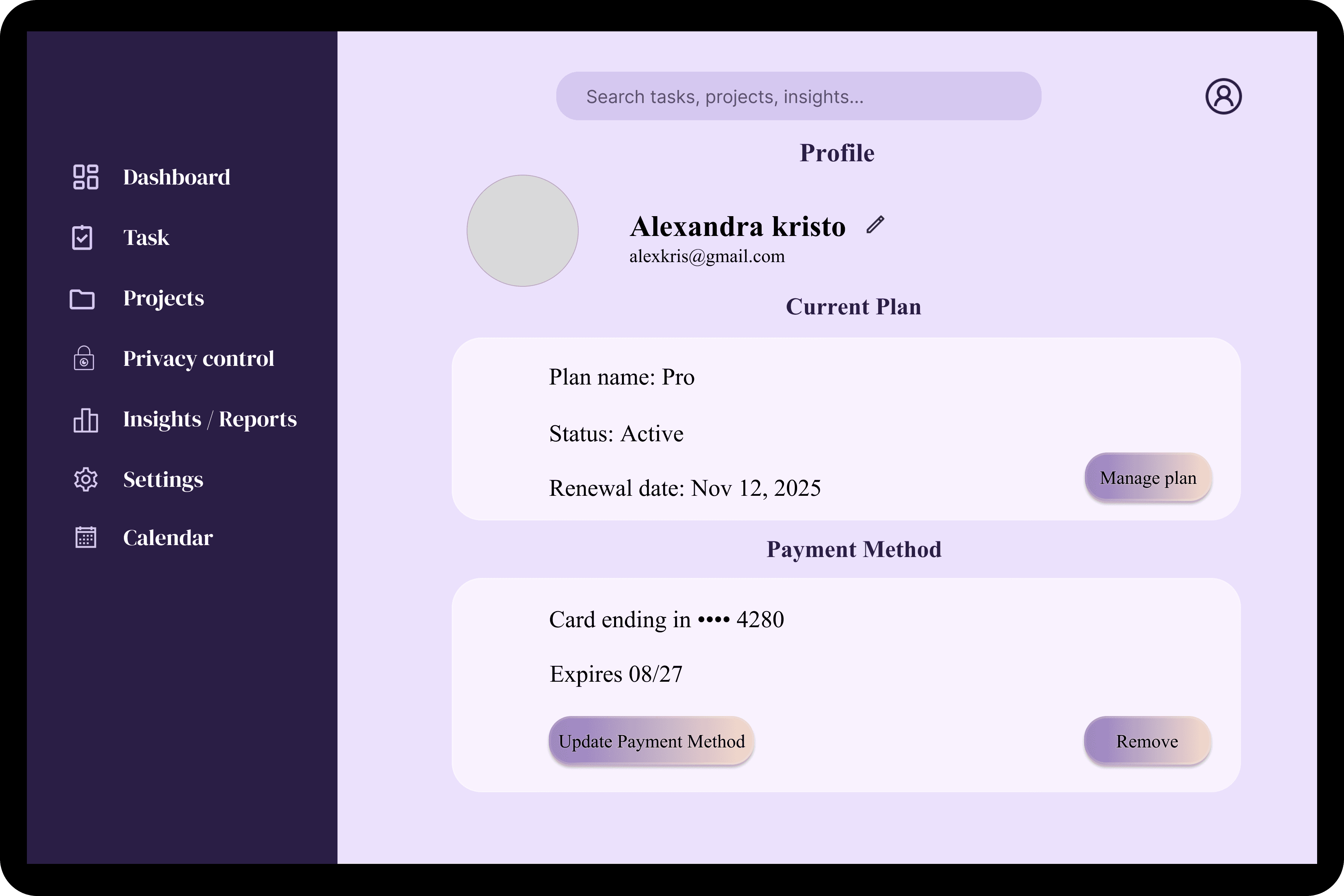
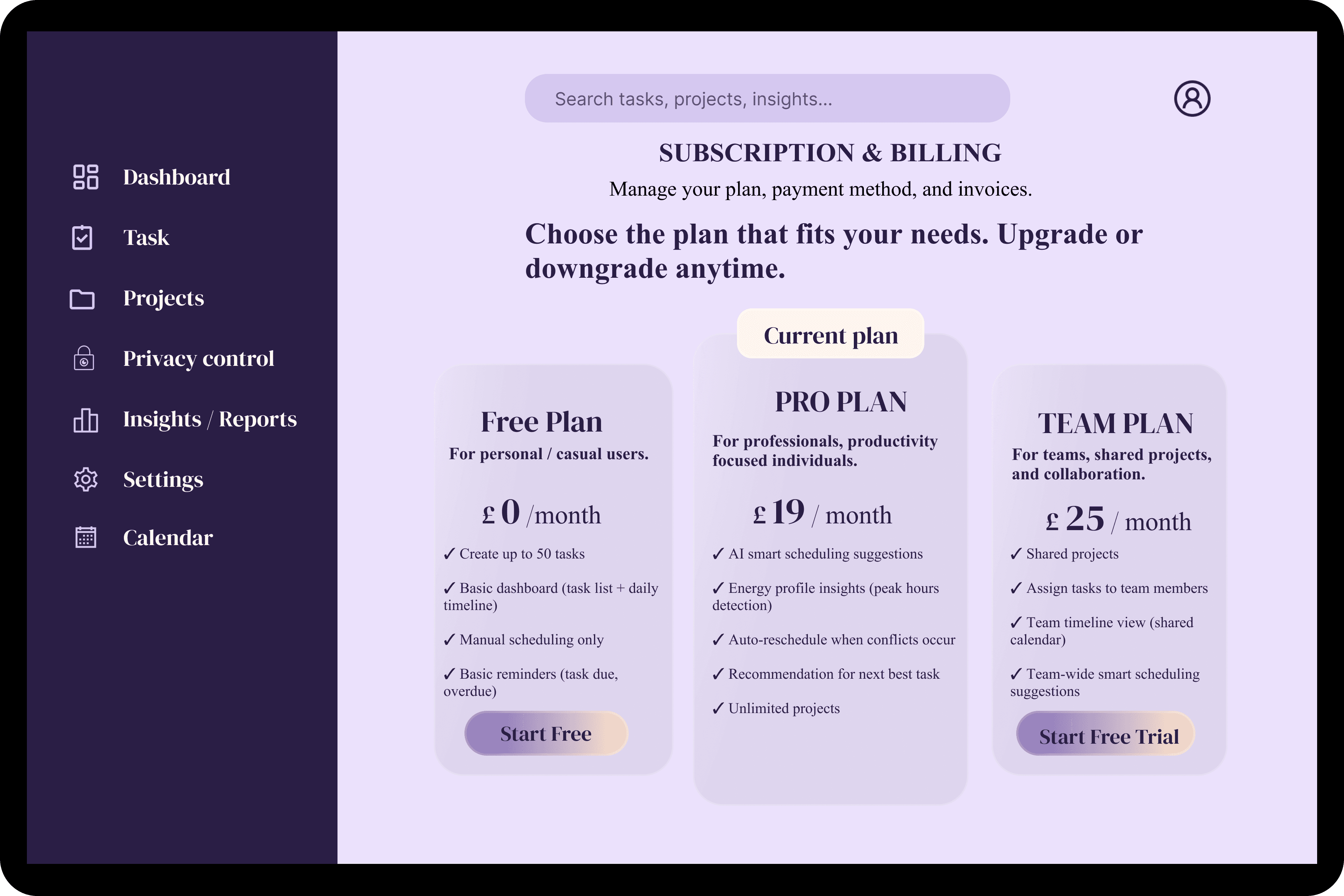
The calendar visualizes tasks within actual time slots, helping users plan realistically and avoid
overloading their day. The profile stores personal preferences and working parameters, ensuring
the experience remains consistent across sessions.
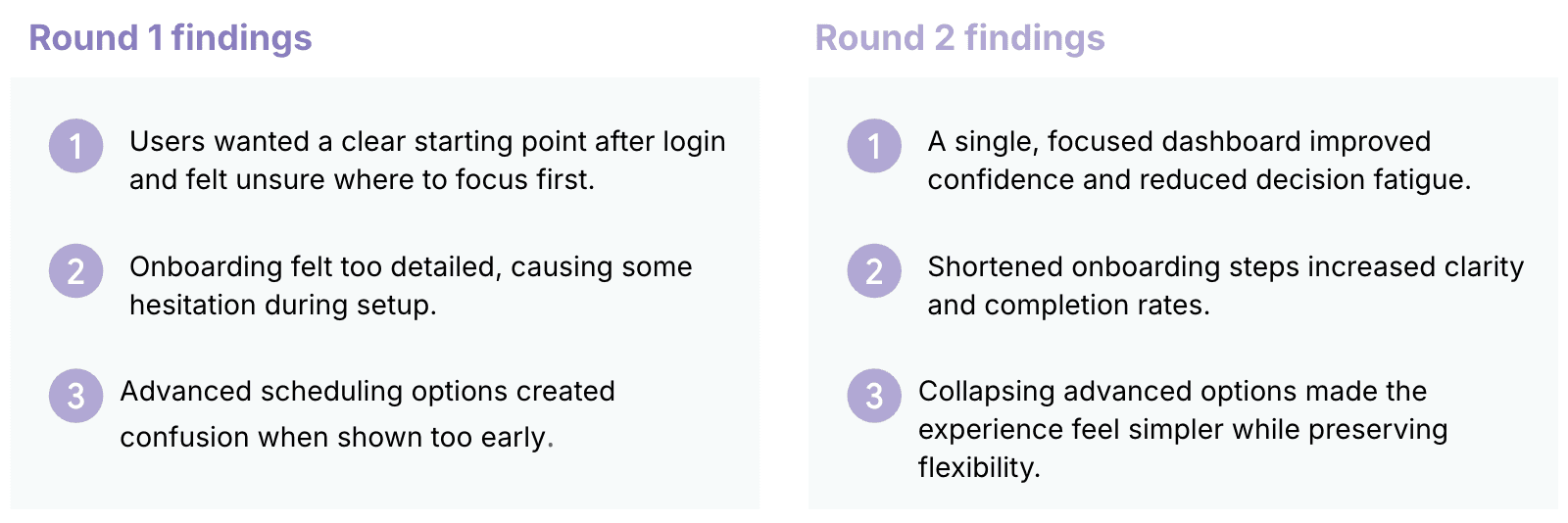
Usability Study — Findings
Usability Study — Findings
To evaluate clarity and ease of use, informal usability studies were conducted in two rounds using
early and high-fidelity prototypes. Participants were asked to complete key tasks such as onboarding,
reviewing daily priorities, and managing tasks within the dashboard. Feedback focused on navigation
clarity, cognitive load, and perceived usefulness.
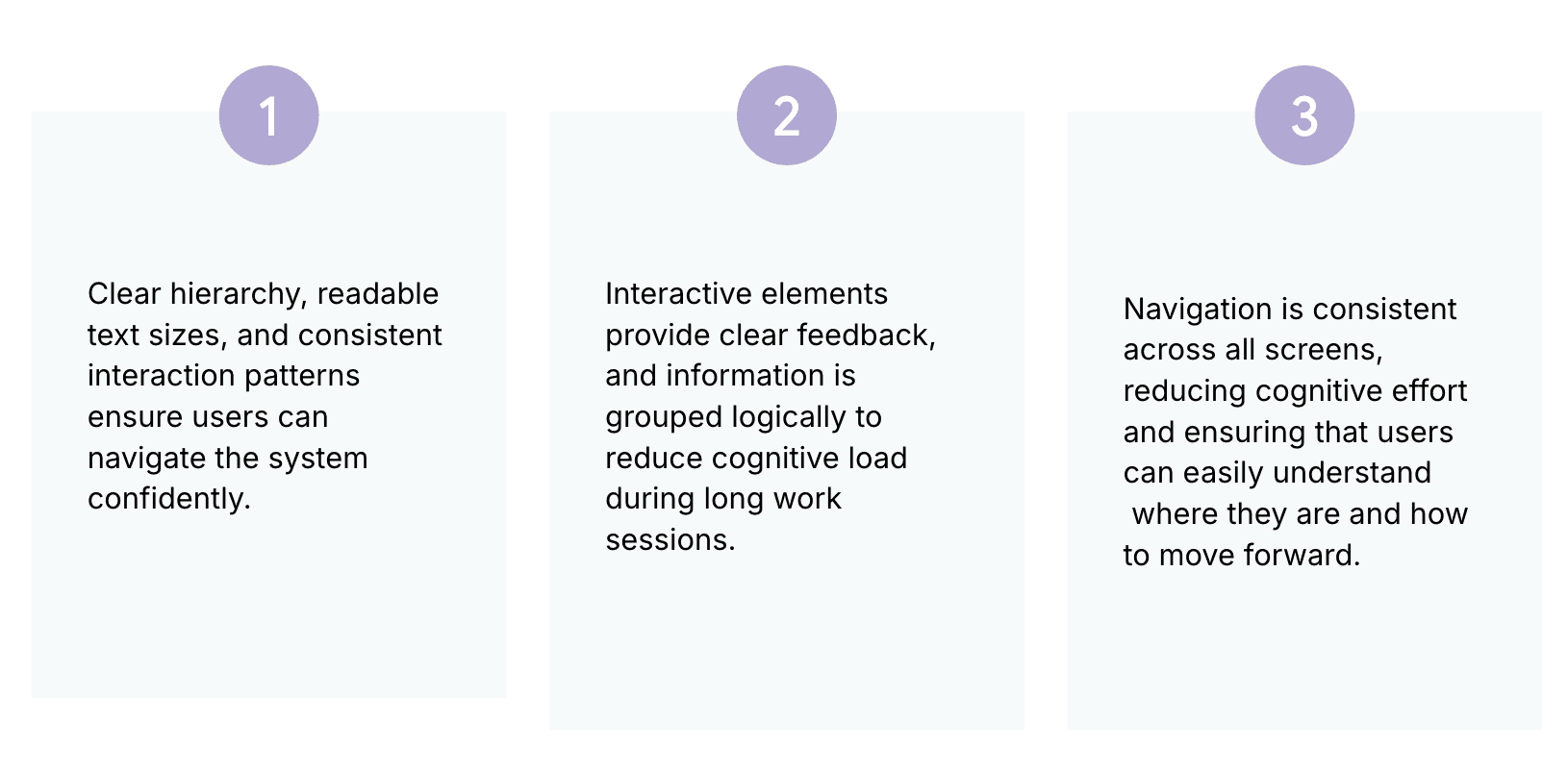
Accessibility considerations
Key Takeaways & Learnings
Future Improvements
This project reinforced the importance of designing productivity tools that adapt to users rather than
forcing rigid workflows. Simplifying onboarding, reducing visible complexity, and prioritizing daily
focus significantly improved clarity and usability. Designing with progressive disclosure proved
essential in balancing flexibility with ease of use.
If the project were extended further, the following enhancements would be explored:
Validation of scheduling recommendations through larger usability testing
Deeper insights based on long-term usage patterns
Customizable productivity modes for different work contexts
Mobile-responsive adaptations for on-the-go planning
grgsnea@gmail.com

Future Improvements
This project explored how AI can support productivity without taking control away from users. The
design focuses on intelligent suggestions that adapt to individual work patterns while preserving user
autonomy. Future iterations would further refine transparency and trust in AI-driven recommendations
through real usage data.